Branching (a.k.a. skip logic) helps you design smarter surveys by adjusting the questions that are asked based on a respondent's answer to a previous question. This has a multitude of benefits:
More flexible surveys
You can ask different questions to different audiences from within a single survey
Encourage higher completion rates
Branching makes the survey form shorter, more focused and easier to understand by hiding all but the essential/relevant questions
A more personalised experience
Respondents have a more tailored experience - they no longer see questions that aren't relevant to them
To see an example of a survey with branching questions, visit https://democontent.commonplace.is/en-GB/proposals/branching-questions/step1.
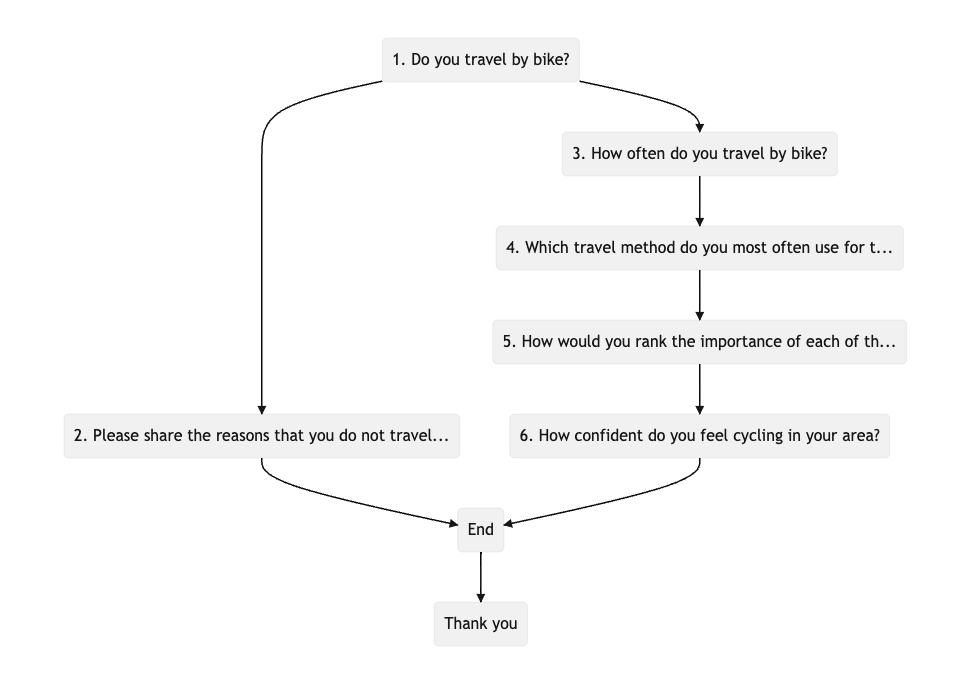
The flowchart below shows an example of the logic for a branching question path - 'Do you travel by bike?' leads to two different paths depending on the respondent's answer.
Branching is a new feature, and as such has a few restrictions in its current state:
Branching rules can only be based on certain question types (free text questions are not currently supported)
Currently only two types of rules for branching are available - 'is equal to' and 'is not equal to'
See Upcoming improvements below for more information on planned developments for this functionality.
To enable branching questions, please follow the steps below:
Create your proposal tile and add the questions you would like to use
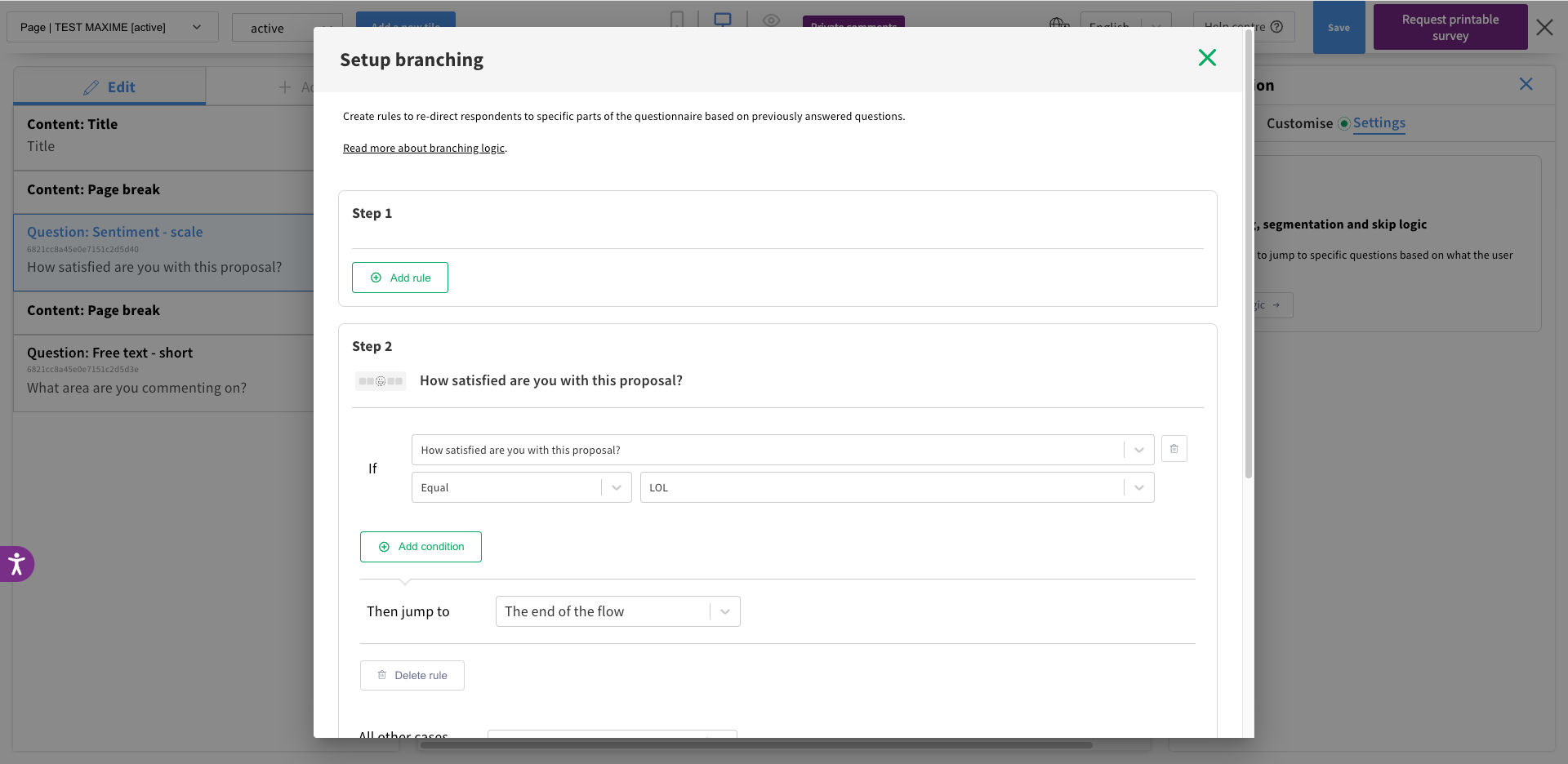
Once your tile is ready, while any content block is selected in edit mode, click on the 'Settings' tab on the right hand side
You will be able to set logic rules for each of the questions that support skip logic
Don’t forget to make the questions with logic mandatory to make sure they receive an answer and your respondents don’t bypass the logic
Test all the paths before launching the tile
There are are a few key important points to remember when building your rules:
A single question can have multiple rules
For example, for a 'How do you travel around the area?' question:
Users who say that they travel by bike can be directed to cycling related questions
Users who say that they travel by car can be directed to driving related questions
Users who provide another answer can be redirected to a third, default set of questions
Rule order matters
If a question has multiple rules, these will apply in order - if a user meets the criteria for the first rule, they will be directed into a branch before any other rules are checked.
Rules can't re-direct users to a past step
For instance, if a branch occurs on step 3, you can't re-direct users back to step 1 or step 2
Rules can be combined with 'and' or 'or' logical operators
If you have multiple questions on a single 'step' of your proposal tile, the branching logic will be applied once the user clicks 'next' to proceed to the next step
The addition of mandatory questions provides another enhancement to logic-based survey routing. By making certain questions mandatory you can ensure that respondents are directed into specific routes, giving you confidence in the flow of your survey design.
Currently, only survey questions on tiles can be made mandatory (i.e. not demographics questions).
The next updates to branching will include:
More rules with "contains", "doesn't contain", "is empty", "is not empty"
More question types supported - including free text questions
Compatibility with demographic questions
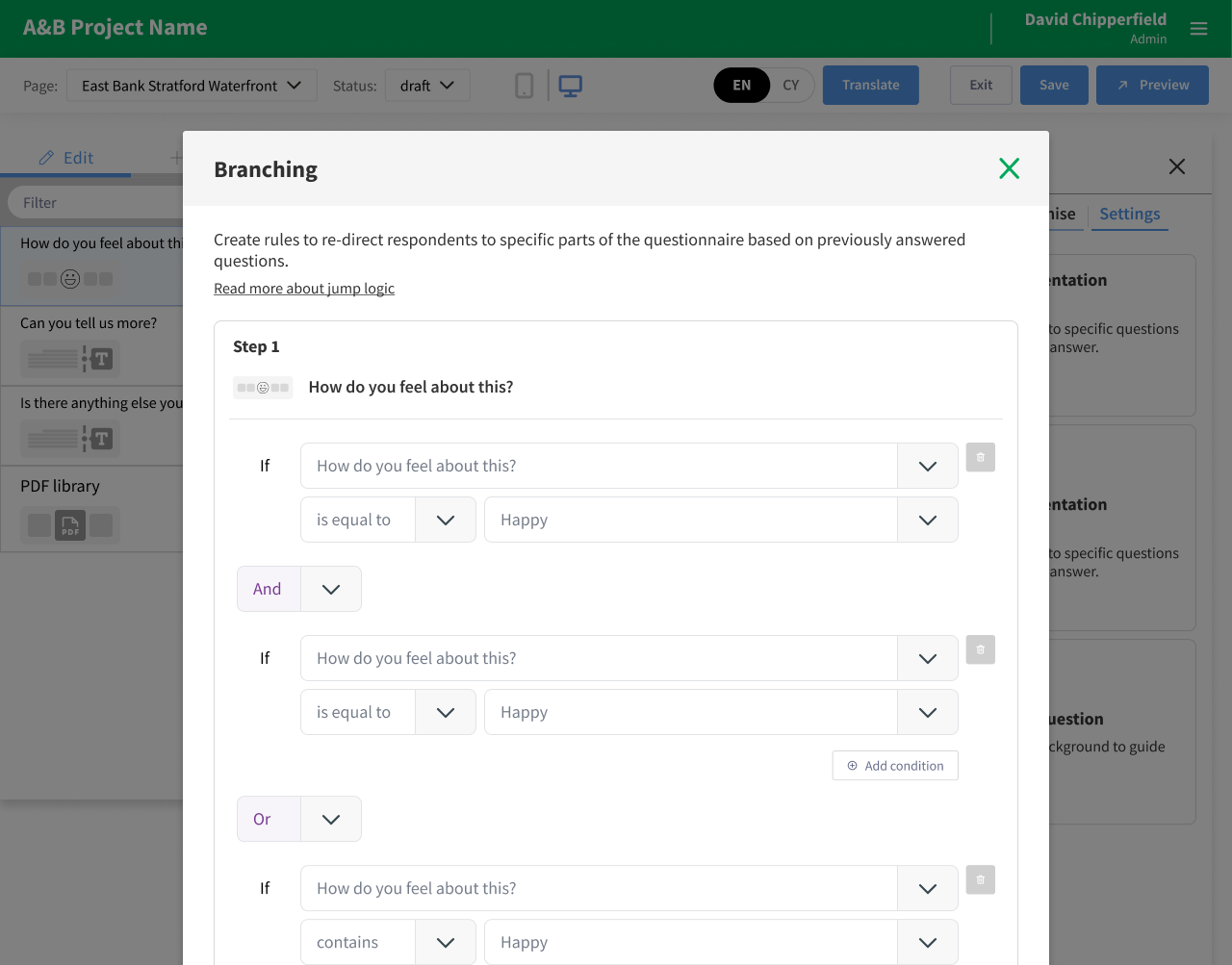
Above: Example of the upcoming edit mode implementation
Got ideas for new features or improvements? We'd love to hear from you! Submit them on our roadmap.
Still unsure about anything? There's lots more information here on the Commonplace Help Centre - alternatively, contact the support team and we'll be happy to help 
