When building your Commonplace project, you may create tiles that you no longer need - fortunately, these are easily deleted. Please note that any links to this tile that you may have shared will no longer work after it is deleted.

Enter edit mode by clicking the blue 'edit page' icon in the bottom right corner of the screen
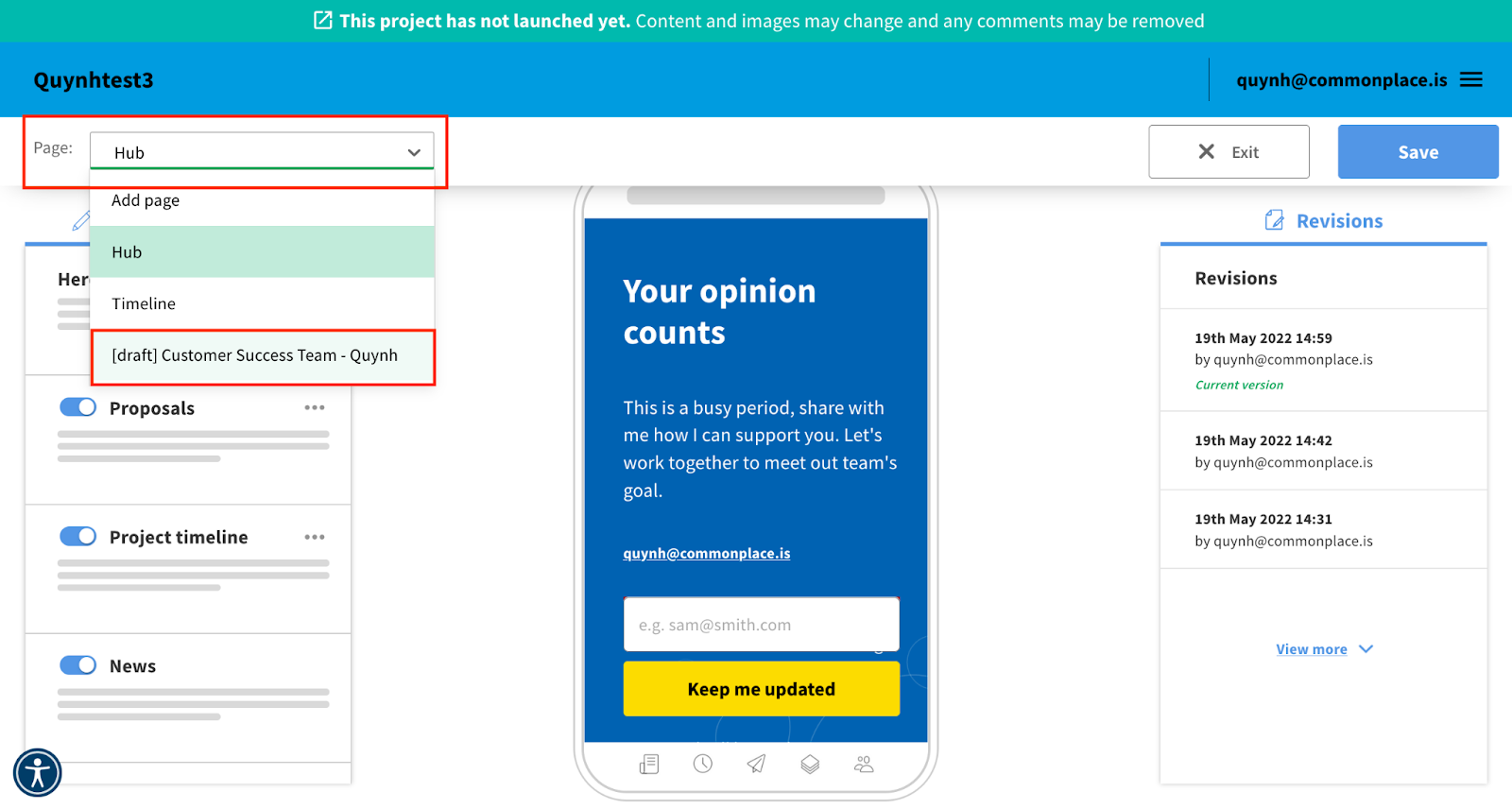
Using the 'page' menu in the top left corner of the screen, select the tile you wish to delete
In the right hand panel, scroll down until you reach the 'delete this page' button
Click the 'delete this page' button
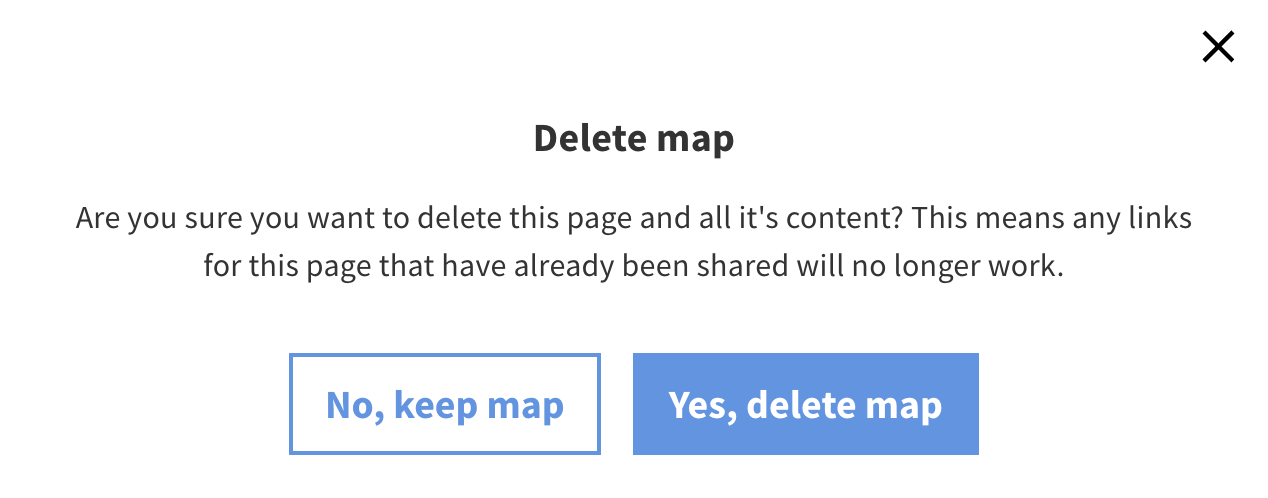
A box will appear asking you to confirm your choice - once you click 'yes, delete page' your tile will be deleted
Enter edit mode by clicking the blue 'edit page' icon in the bottom right corner of the screen
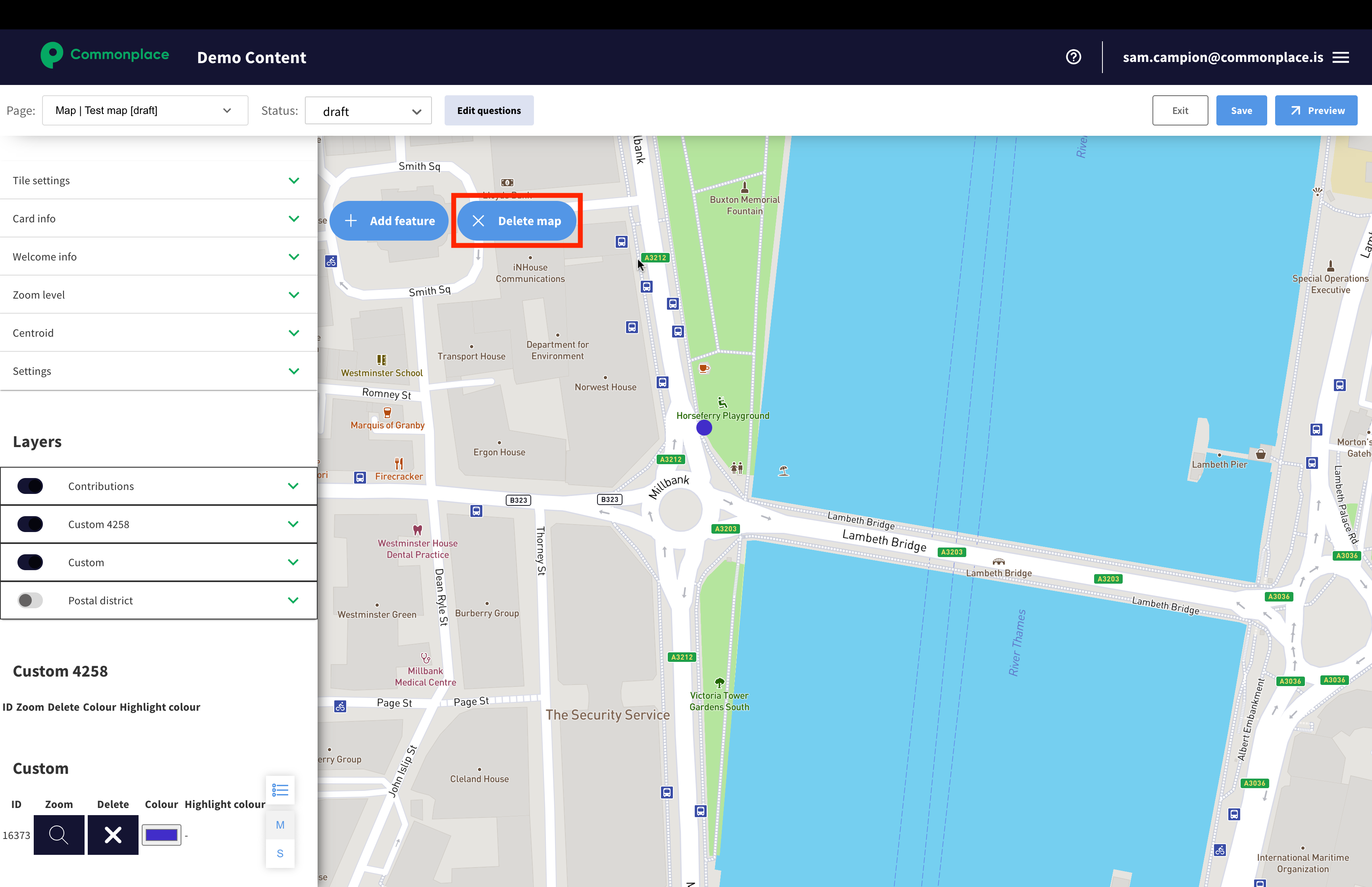
Using the 'page' menu in the top left corner of the screen, select the tile you wish to delete
Select 'delete map'
A box will appear asking you to confirm your choice - once you click 'yes, delete page' your tile will be deleted
Still unsure about anything? There's lots more information here on the Commonplace Help Centre - alternatively, contact the support team and we'll be happy to help 👋
