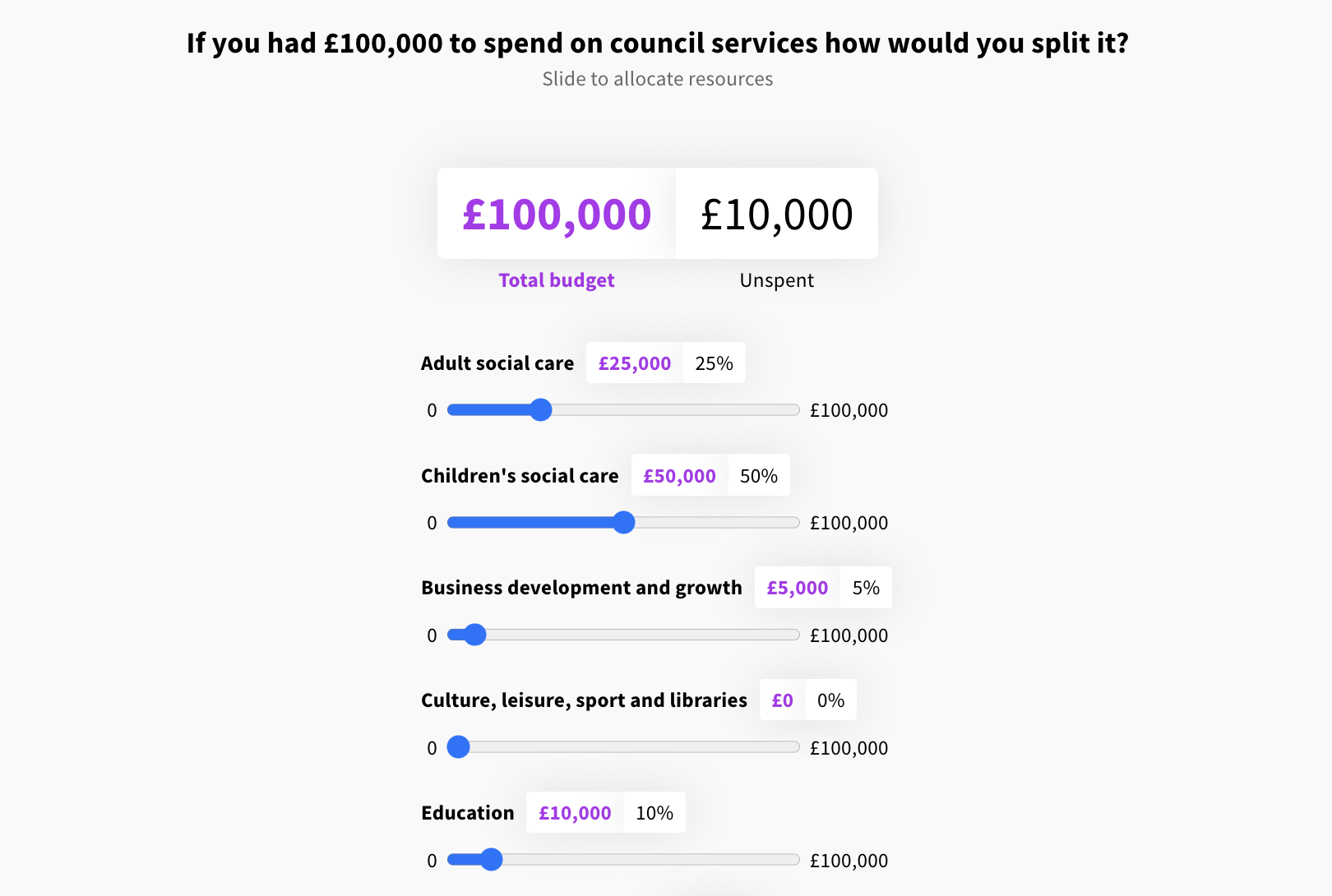
Above: An example of the budget allocation question
The budget / resource allocation question allows users to allocate portions of a budget or a set of resources. Users can use the sliders under each option to allocate these portions, and the 'unspent' total will update to show how much remains - once 100% of the total amount has been allocated, the sliders cannot be increased any further.
For example, given a total of 250 units in a new housing development, a user could allocate 20% of those units to affordable housing, 30% to homes for families, and so on. This allows you to build up a picture of where your users priorities lie.
The function of the two types of questions is essentially the same - the only difference is that the budget allocation question deals with currency specifically, whereas the resource allocation question deals with abstract 'units'.

Enter edit mode using the blue 'edit page' icon
In the left hand panel, go to the '+ add' tab and drag a 'budget allocation' or 'resource allocation' question into the preview
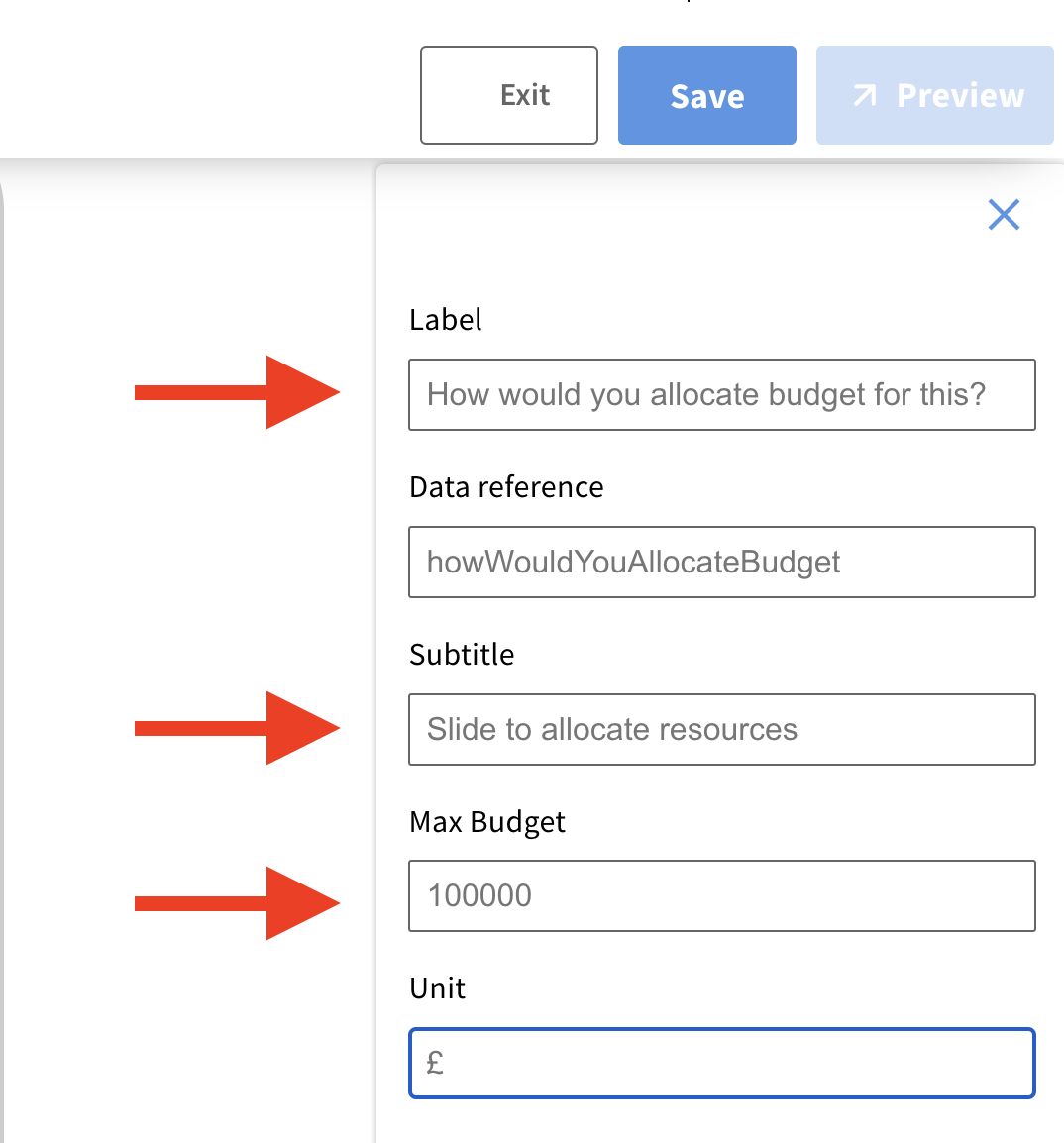
Add a question label
Add a subtitle - this helps to instruct your users on how the question works - an example might be: 'Slide to allocate the budget for green spaces in Lambeth in 2024'
Set the maximum budget - no need to include a comma, this will be added automatically
Set the unit - e.g. £, $, €
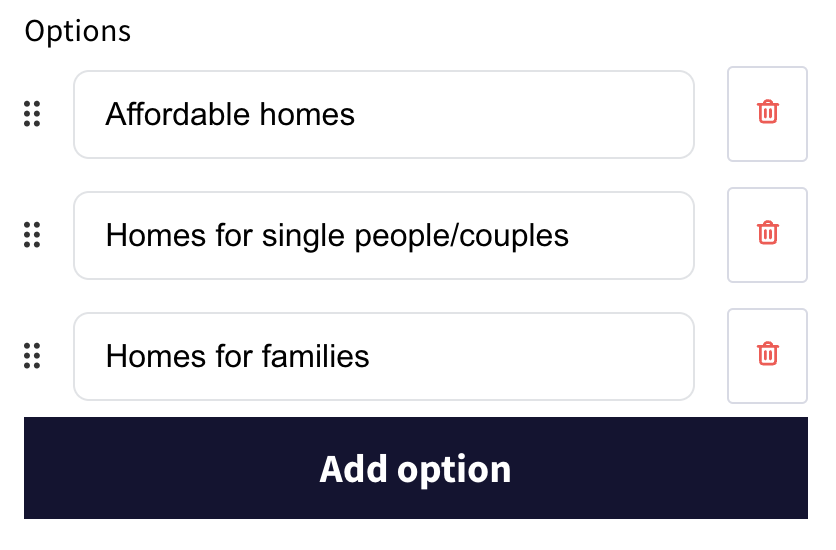
Add your options - you can delete options using the red 'bin' icon, or re-order them by dragging and dropping them
Once you've finished editing, remember to save your changes by clicking the blue 'save' button.
Still unsure about anything? There's lots more information here on the Commonplace Help Centre - alternatively, contact the support team and we'll be happy to help 👋
