All Commonplaces benefit from a sentiment question. You can use a sentiment question to capture a sense of how supportive or concerned the community is. One of the most helpful pieces of analysis you can also do is understand how polarised the audience is. If it is highly polarised, you may wish to consider further engagement phases to bring greater consensus.
We offer a smiley version or a scale version of the sentiment question. The smilies are more visual and more playful, typically resulting in higher engagement rates.
However, you may prefer a numbered scale or even some words such as 'agree' / 'disagree', which the scale version of the question is here for.
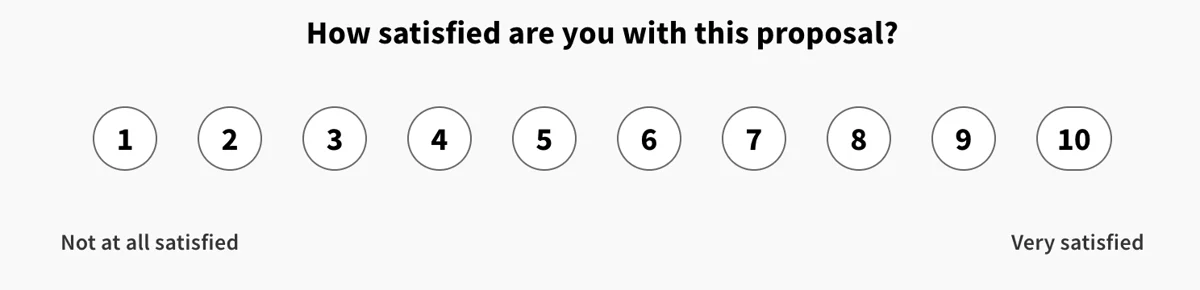
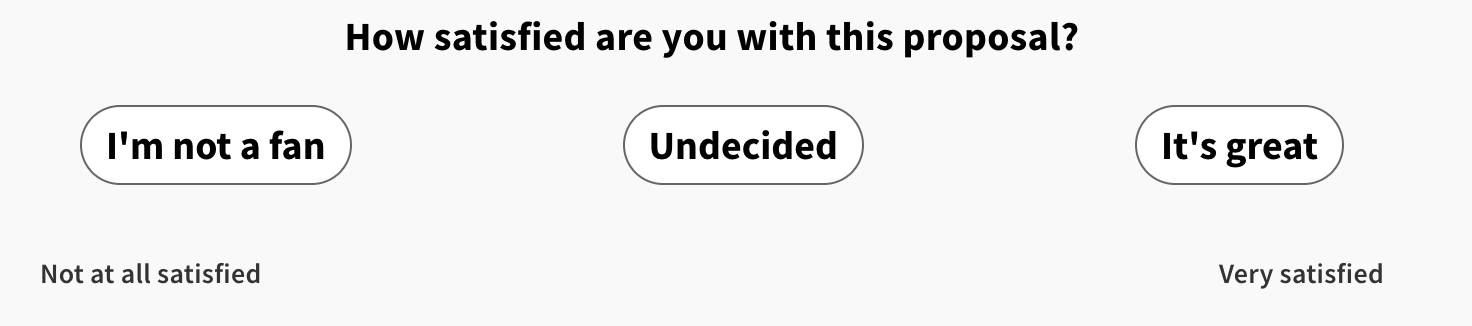
In order to use the Sentiment-Scale question, start by dragging the content block from the list of content in the left panel onto preview screen.
Start by editing the question options on the right hand side. Choose whether you want to stick with a number scale (you can go as far as zero to 10) or if you prefer words. You can choose what labels to have at either end of the scale, and whether to reverse the scale or not.
As always, you can preview the question in the central preview screen. Remember to check both the mobile and desktop view by switching views at the top of the edit mode screen. Finally, be sure to click save when you're happy with the question settings.
Find more questions types here
Still unsure about anything? There's lots more information here on the Commonplace Help Centre - alternatively, contact the support team and we'll be happy to help 👋
