When a visitor views a tile, they first see the tile image, and the description. Images serve as great visual tools to provide more context, and on a tile it can provide more insight to visitors thus encouraging them to click on the proposal tile.
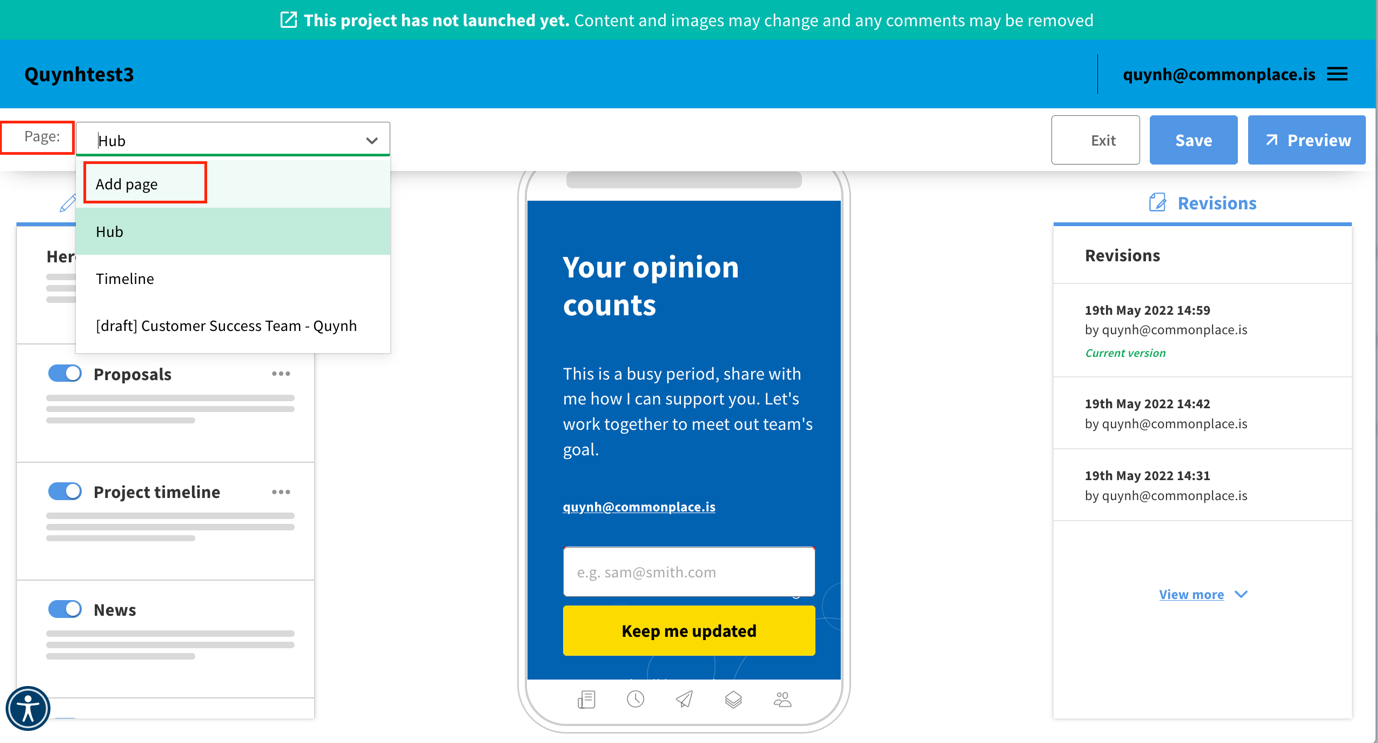
1. Once you are in edit-mode, select Add page from the top left dropdown menu and then choose either a map or proposal tile.
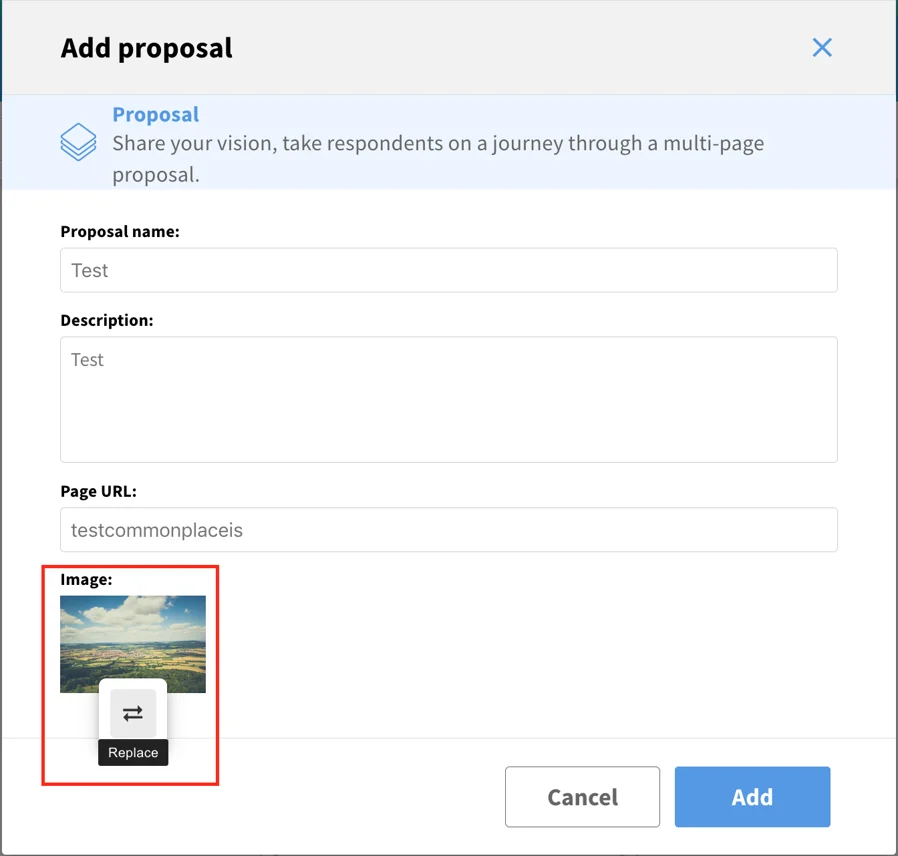
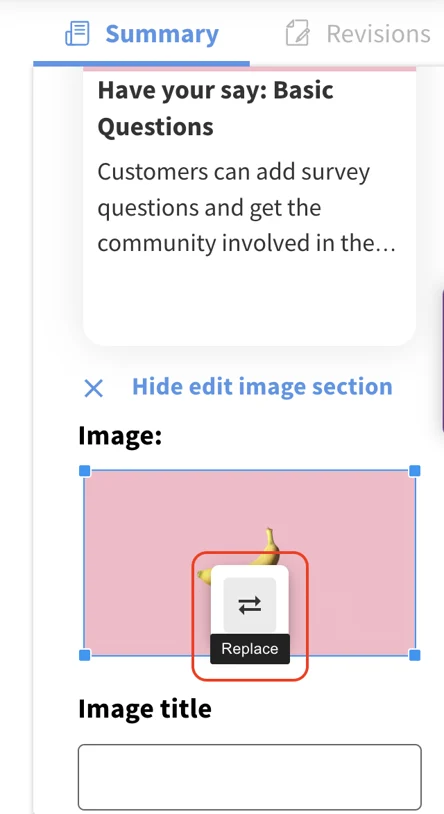
2. Fill in the relevant project information and click on the Double Arrow to change the image.
3. This will present the option to either drop the selected image into the box, or you can select by link or by browsing your files.
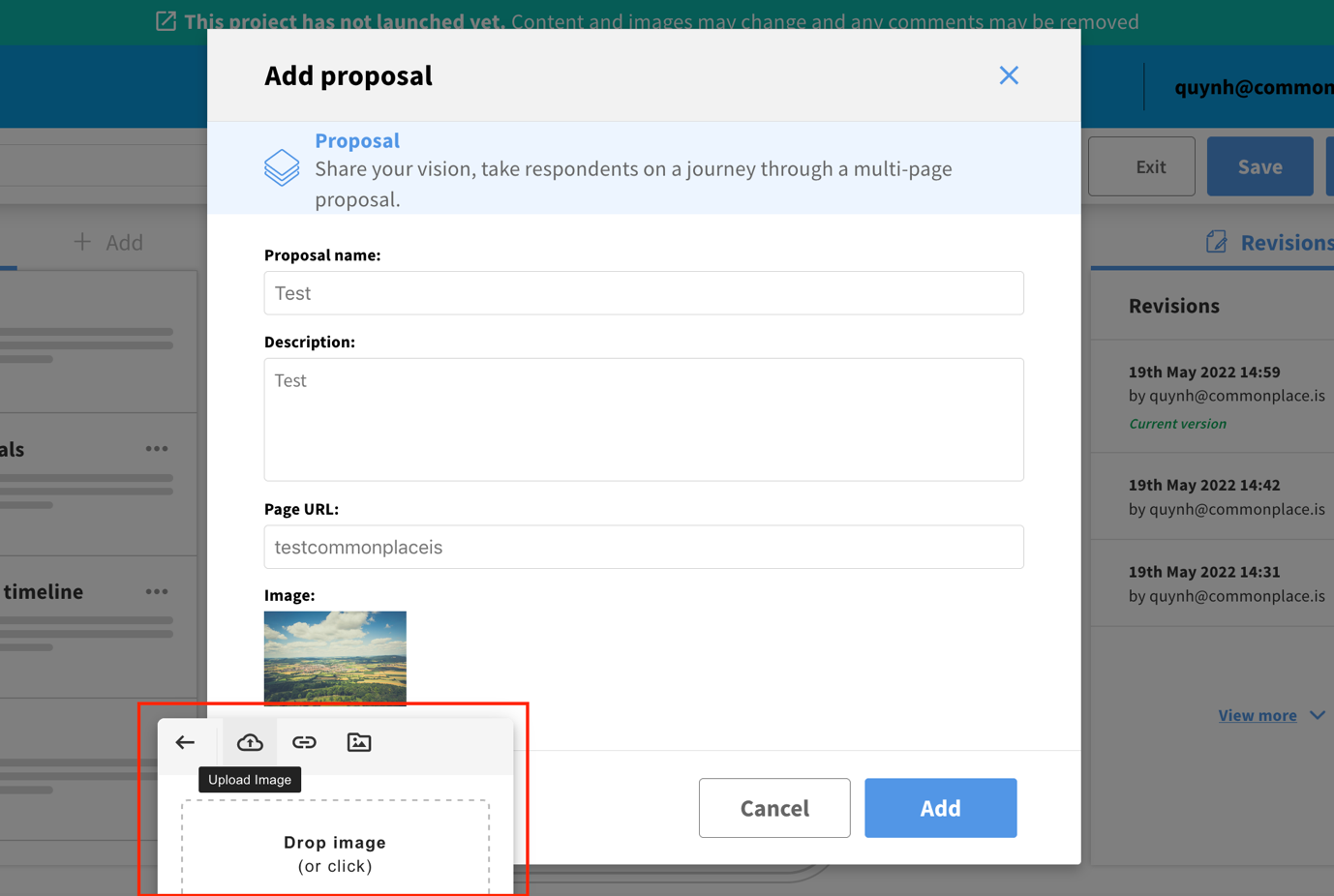
4. The original image will be replaced by your image. Click on Add to finalise adding the proposal.
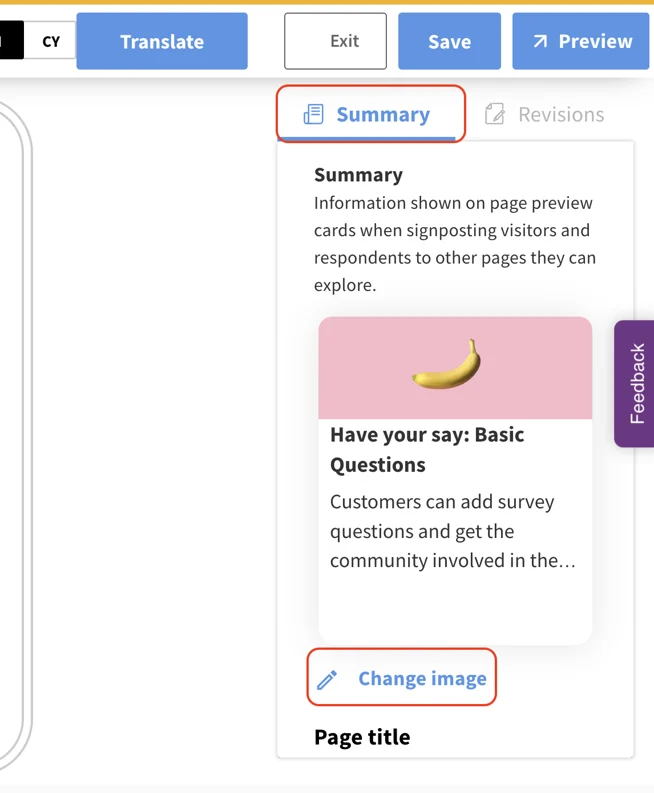
5. If you change your mind about the image, you can amend this by selecting change image on the tile summary in edit mode:
Still unsure about anything? There's lots more information here on the Commonplace Help Centre - alternatively, contact the support team and we'll be happy to help 👋
