QR codes are a good way to publicise the website. We can create unique tracking links that show how many people have visited the website via that code.


1. Go to the dashboard of the website and select the ‘Visitors’ tab
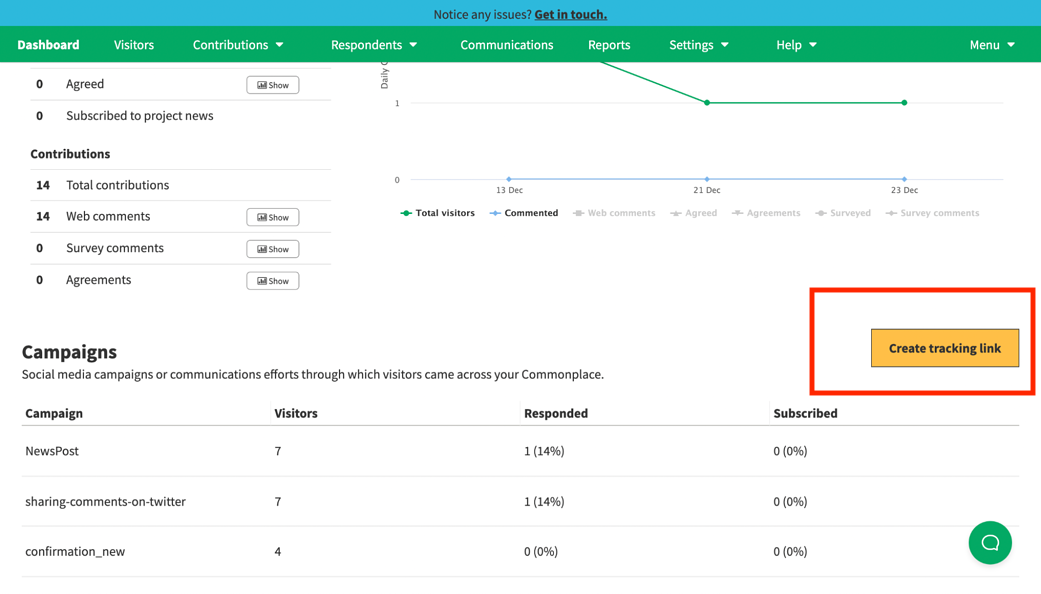
2. Scroll down the Visitors page, and near the Campaigns section there is a button option to “Create tracking link”
3. When you select this option, you will be taken to a form screen. Fill in this form - these can be filled with placeholders like “QR1” if there is no campaign name etc.
4. Once you click ‘Create Link’ go to a QR code generator website (for example, QR Code Generator) and follow the steps to create the QR code using the tracking link created
5. Download the QR code and distribute as required
Still unsure about anything? There's lots more information here on the Commonplace Help Centre - alternatively, contact the support team and we'll be happy to help 👋
