The launch and closure of tiles can now be scheduled in advance by Lead admin users - simply enter edit mode and choose a date and time. You will receive reminder emails 24 hours and 1 hour in advance of the launch/closure to ensure that you’re still happy with the settings you chose.
Tiles can still be closed manually.
To schedule your tile to launch on a specific date/time, follow the steps below:
Enter edit mode on a draft map or proposal tile
Click ‘Validate’ in the top right hand corner - this will check your page for errors
Once you’re happy that you’ve addressed the errors (or they don’t apply for your page), click ‘Save’
Click the small calendar icon to the right of the ‘Save’ button and select ‘Schedule tile’
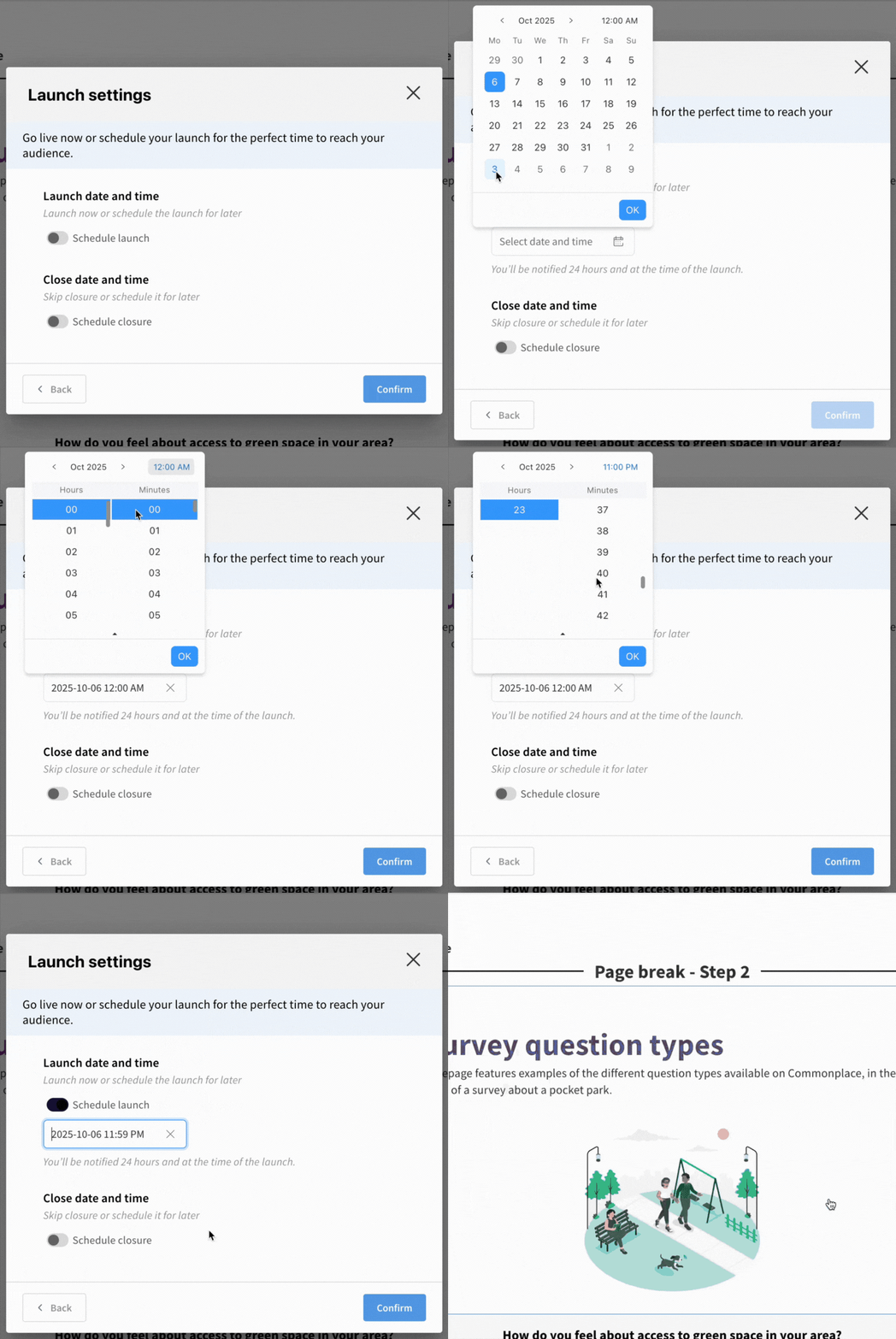
Choose the date and time of your launch - you can also schedule the closure of your tile at the same time
Click confirm - you will see the launch date and time you have scheduled - if you are happy with these click ‘schedule launch’ to save these settings
Your tile will launch at the date and time scheduled
To edit the scheduled launch time, simply re-enter edit mode and change the date and time by following the steps above
To schedule your project to close on a specific date/time, follow the steps below:
Enter edit mode on an active map or proposal tile
Click ‘Validate’ in the top right hand corner
Click ‘Save’
Click the small calendar icon to the right of the ‘Save’ button and select ‘Schedule tile’
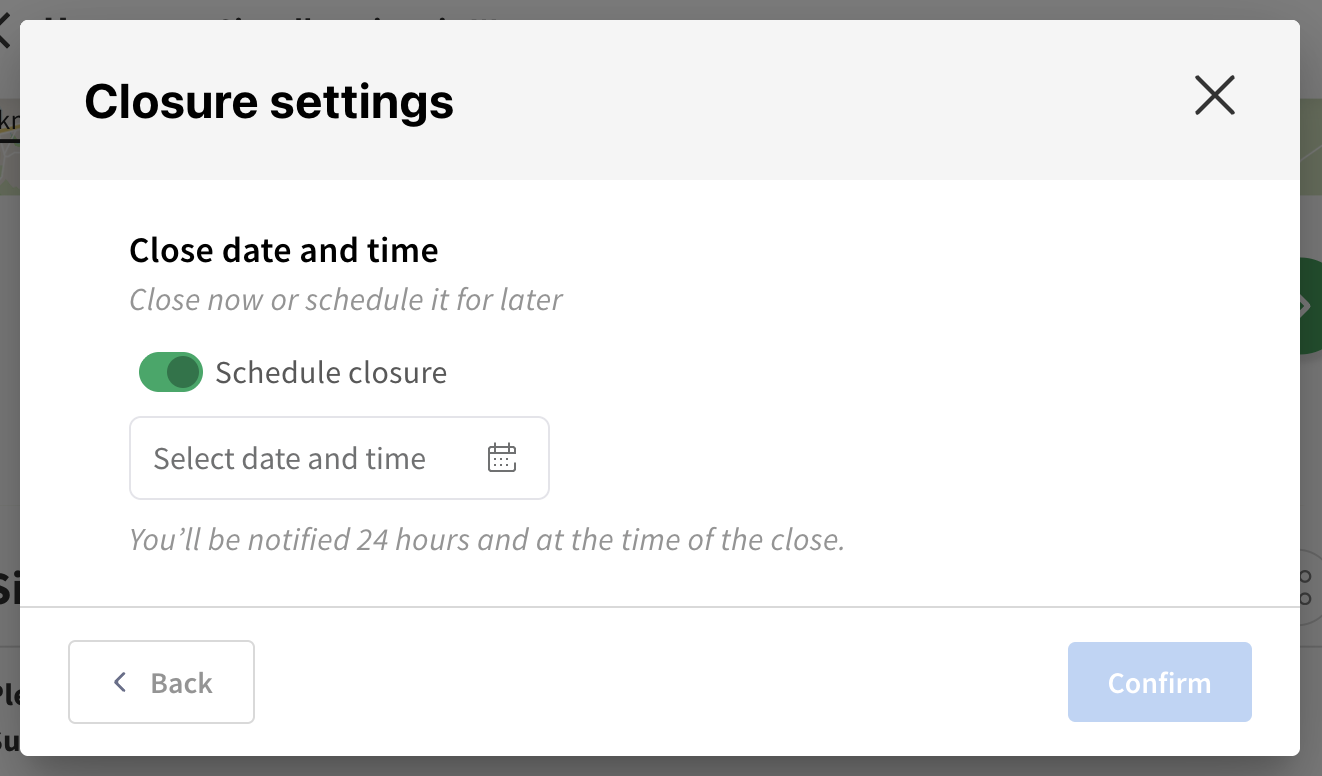
Choose the date and time of your closure
Click confirm - you will see the closure date and time you have scheduled - if you are happy with these click ‘schedule launch’ to save these settings
Your tile will launch at the date and time scheduled
Still unsure about anything? There's lots more information here on the Commonplace Help Centre - alternatively, contact the support team and we'll be happy to help 
