To log in on Commonplace and start designing your project, you first need an account. You will be invited to create an account either by a Commonplace team member, or by one of your colleagues with admin/lead admin permissions.
Once the invite has been sent, you will receive an email inviting you to join a project. Clicking the 'accept' button will take you to the account creation page.
Your email address will be pre-populated on this page. If you'd like to use an email address other than the one you were invited with, the person who invited you will need to send another invite to that email address.
On the account creation page you can fill out your first name, last name and create a password. Your password must meet the criteria for a secure password - the red lights under the 'your password must contain' heading will turn green as you meet these criteria.
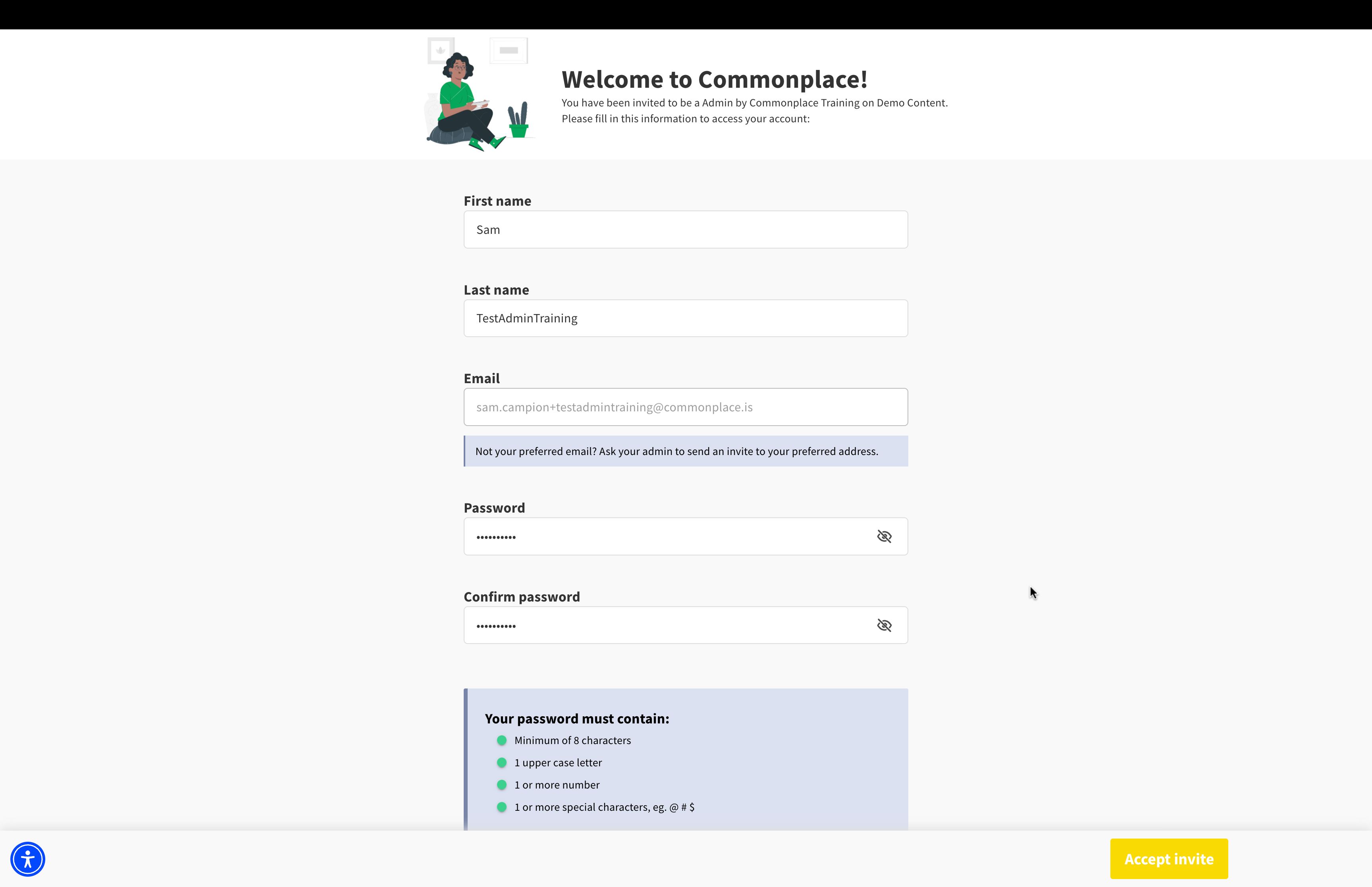
The 'accept invite' button will not become clickable until these fields are populated and your password meets the secure password criteria.
Once you have created your account, it's time to log in.
Managing user roles & permissions
Still unsure about anything? There's lots more information here on the Commonplace Help Centre - alternatively, contact the support team and we'll be happy to help 👋
