
In August 2024, Commonplace introduced an upgraded login process with significant user experience and security enhancements.
As part of these upgrades, existing Commonplace customer users are required to update their passwords and enable Multi-Factor Authentication (MFA) on their accounts - unless their organisation has activated Single Sign-On (SSO).
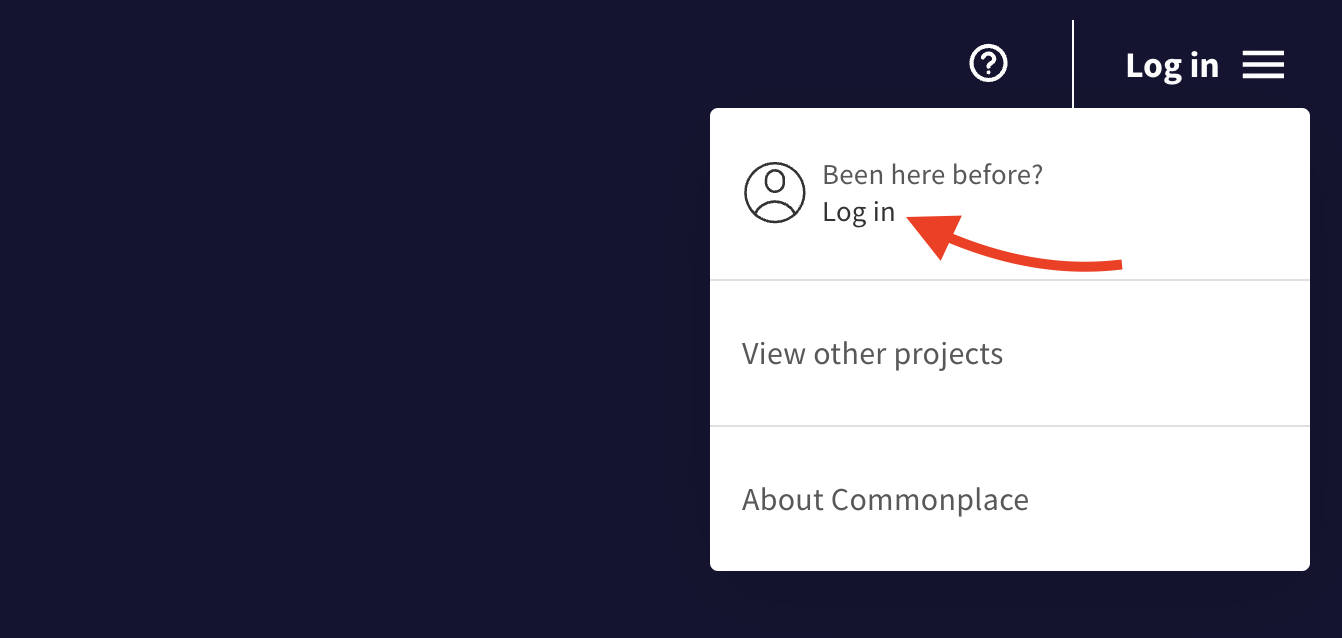
On a Commonplace project, click 'Log in' in the top right hand corner to open the admin menu - then click the 'Log in' link.
Enter your email into the field and click 'Log in / Sign up'.
If this is your first time logging in with the new login system introduced in August 2024, you'll be prompted to reset your password to meet new complexity requirements, and then asked to set up Multi-Factor Authentication (MFA) for your account.
If you have already logged in using the new login system, you'll be automatically recognised as an engagement team member and prompted to enter your password and then your MFA code.
How to reset your password or change your email
Learn how to reset your password or change your email
How to create your Commonplace account
Still unsure about anything? There's lots more information here on the Commonplace Help Centre - alternatively, contact the support team and we'll be happy to help 👋
