Follow the steps below to reset your password.
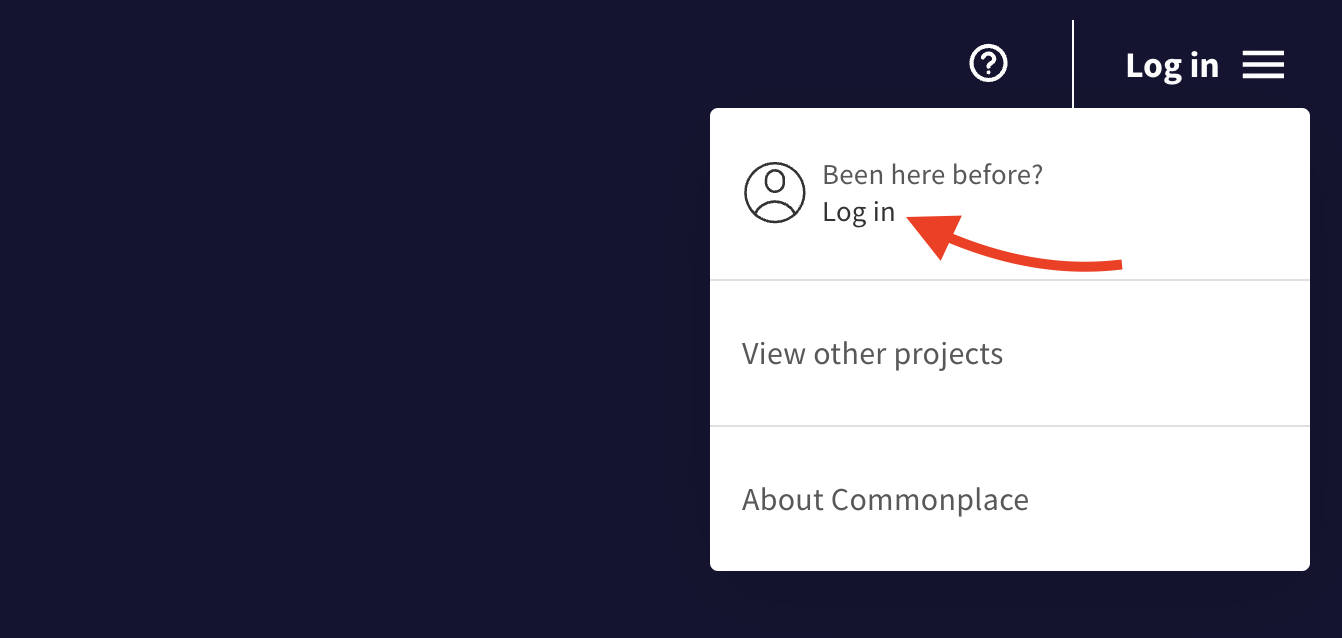
On a Commonplace project, click 'Log in' in the top right hand corner to open the admin menu - then click the 'Log in' link.
Enter your email into the field and click 'Log in / Sign up'.
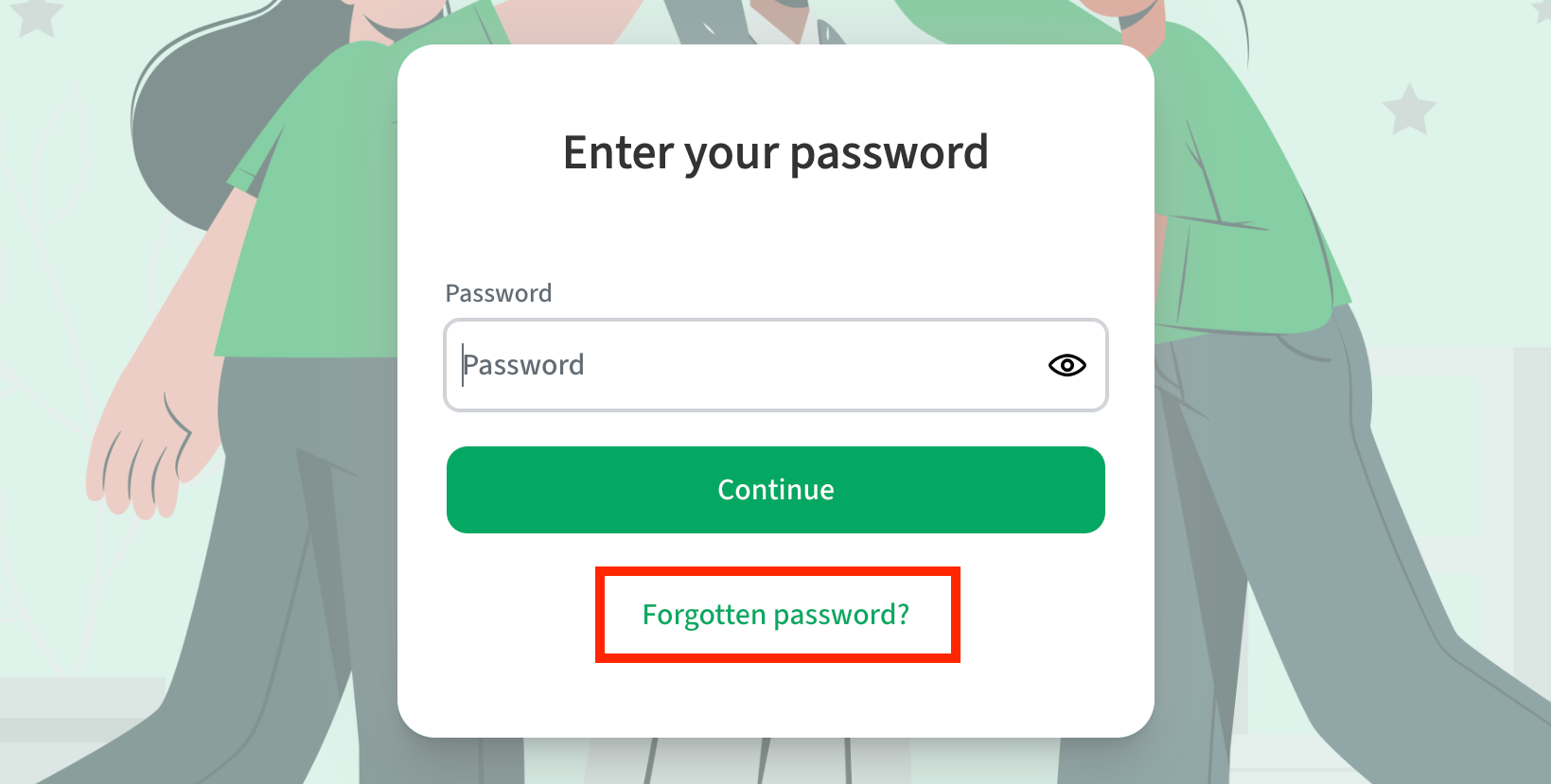
Click 'Forgotten password?'
An email with a password reset link will be sent to your email address.
Clicking this link will allow you to set a new password.
To change your email address please contact the support team at customers@commonplace.is.
Still unsure about anything? There's lots more information here on the Commonplace Help Centre - alternatively, contact the support team and we'll be happy to help 👋
