The launch and closure of projects can now be scheduled in advance by Lead admin users - simply enter Project Centre and choose a date and time. You will receive reminder emails 24 hours and 1 hour in advance of the launch/closure to ensure that you’re still happy with the settings you chose.
To schedule your project to launch on a specific date/time, follow the steps below:
Open Project Centre
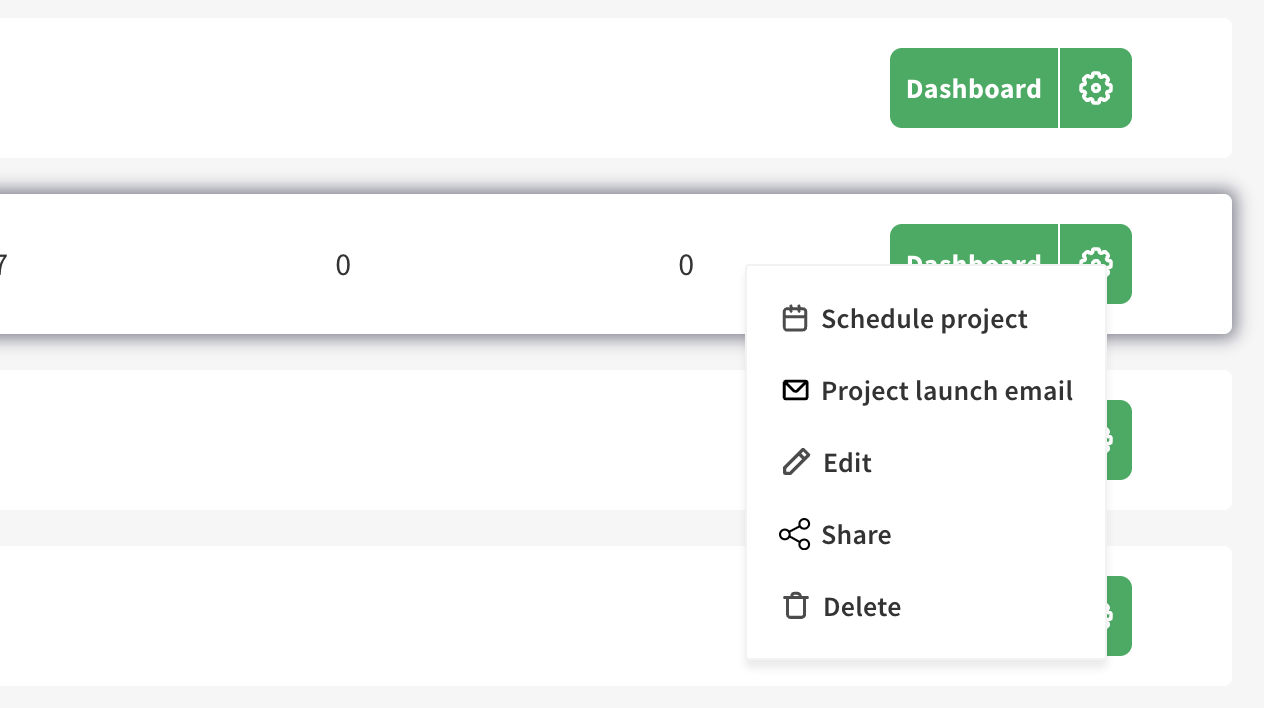
Click the cog wheel icon next to the ‘Dashboard’ label and select ‘Schedule project’
You will be asked to confirm that certain settings on your project are configured correctly - once this is done, click ‘Next’
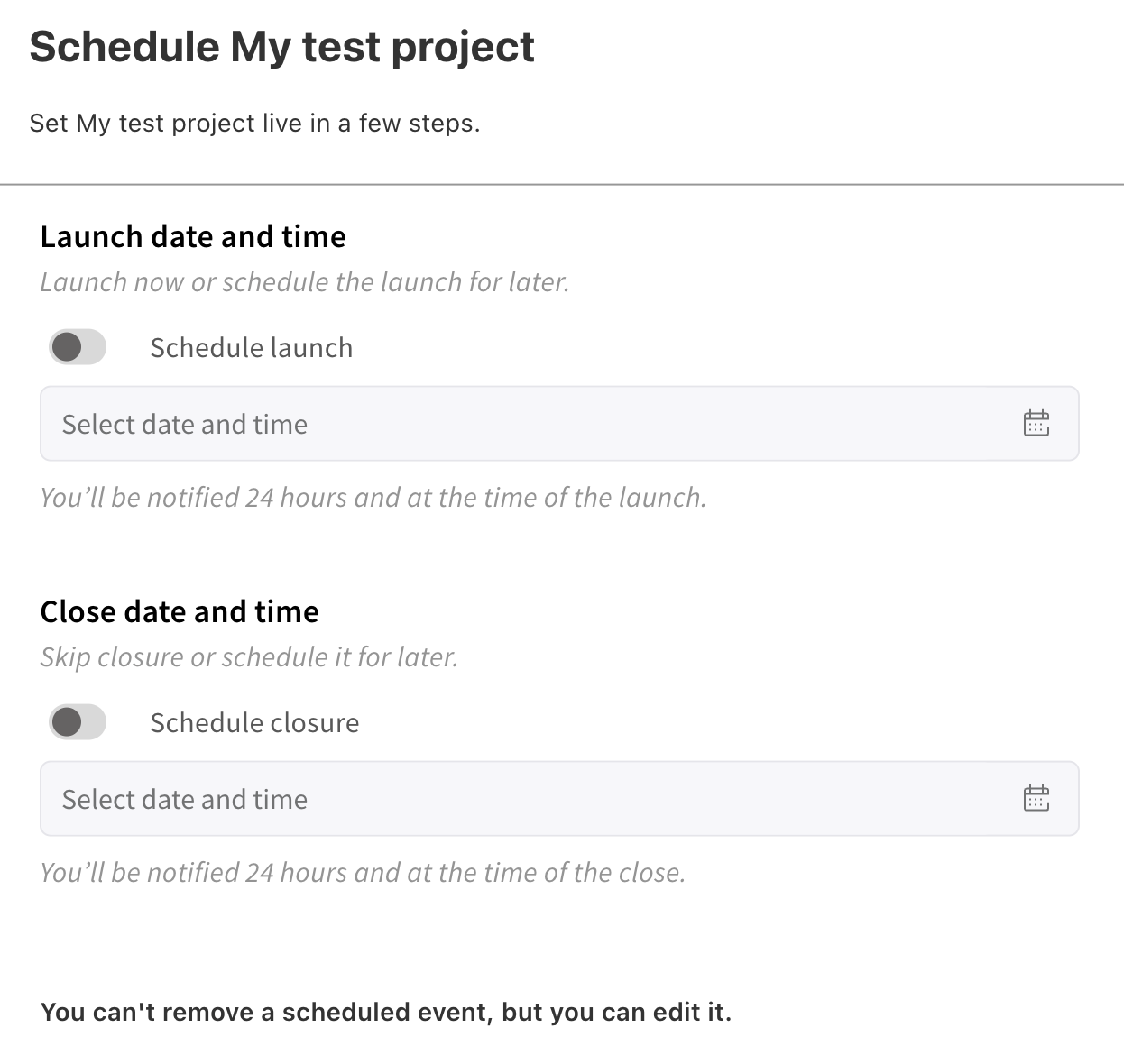
Choose the date and time of your launch - you can also schedule the closure of your project at the same time
Click ‘Next’ - you will see a summary of the settings you selected
Your project will launch at the date and time scheduled
To edit the scheduled launch time, simply repeat the steps above and select a new date and time
To schedule your project to close on a specific date/time, follow the steps below:
Open Project Centre
Click the cog wheel icon next to the ‘Dashboard’ label and select ‘Schedule project’
Choose the date and time of your closure
Click ‘Next’ - you will see a summary of the settings you selected
Your project will close at the date and time scheduled
To edit the scheduled closure time, simply repeat the steps above and select a new date and time
Still unsure about anything? There's lots more information here on the Commonplace Help Centre - alternatively, contact the support team and we'll be happy to help 
