This is the central hub where you can create, manage and launch your projects. It gives you a centralised overview of all of your projects and how they're performing.
You can also creating new Commonplaces, giving you the freedom to have a play with the platform. When you create a new project, you'll find a choice of bespoke, curated templates from which to kickstart your project.

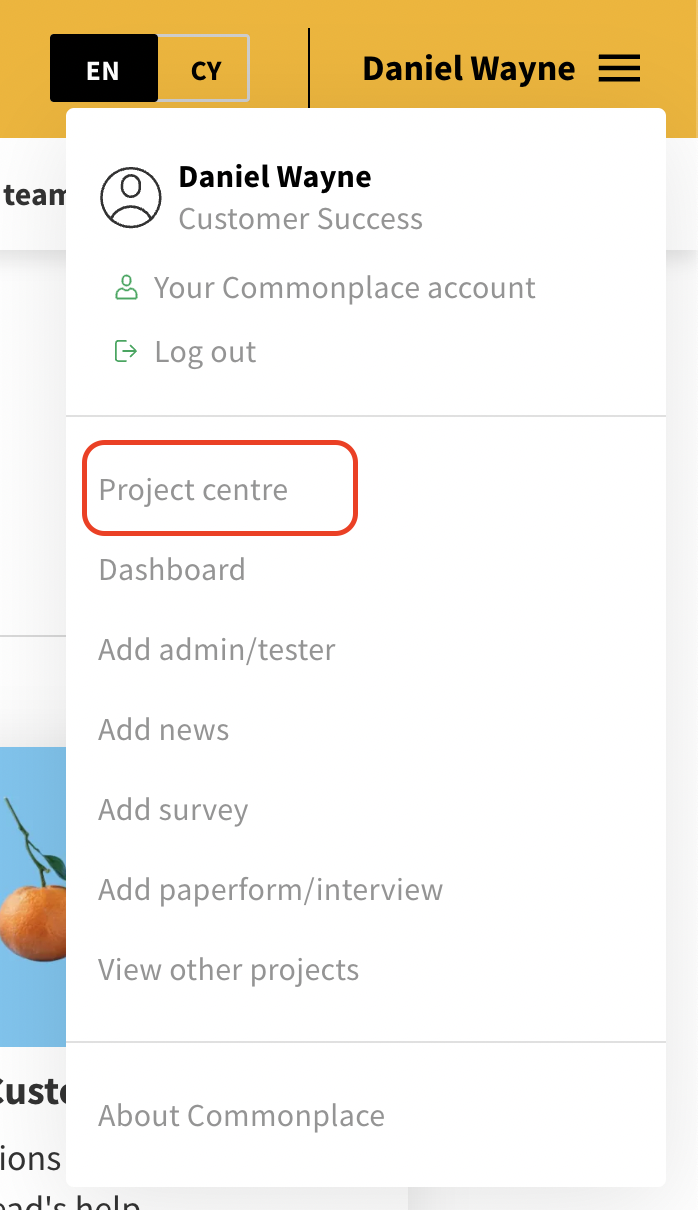
Project Centre can be accessed by anyone logged in as an admin or lead admin team member. Click on the menu next to your name and select "Project centre" from the the drop down menu:
Project Centre is divided into the following sections:
Clicking on a project will lead you to its dashboard, where you'll be able to dive into project metrics and the data you've gathered.
Options to launch, edit, duplicate and share the projects are also available here.
Selecting “+New project” will take you to the template collection page, where you can pick from a template or start from scratch.
In the template collection page you will find a list of curated and optimised templates to browse through, with information about their structure and benefits.
You can 'Preview' them live or you can 'Select' them to use them as a starting point for your project. If you do, all their content and branding will be copied and used as the basis for your new project.
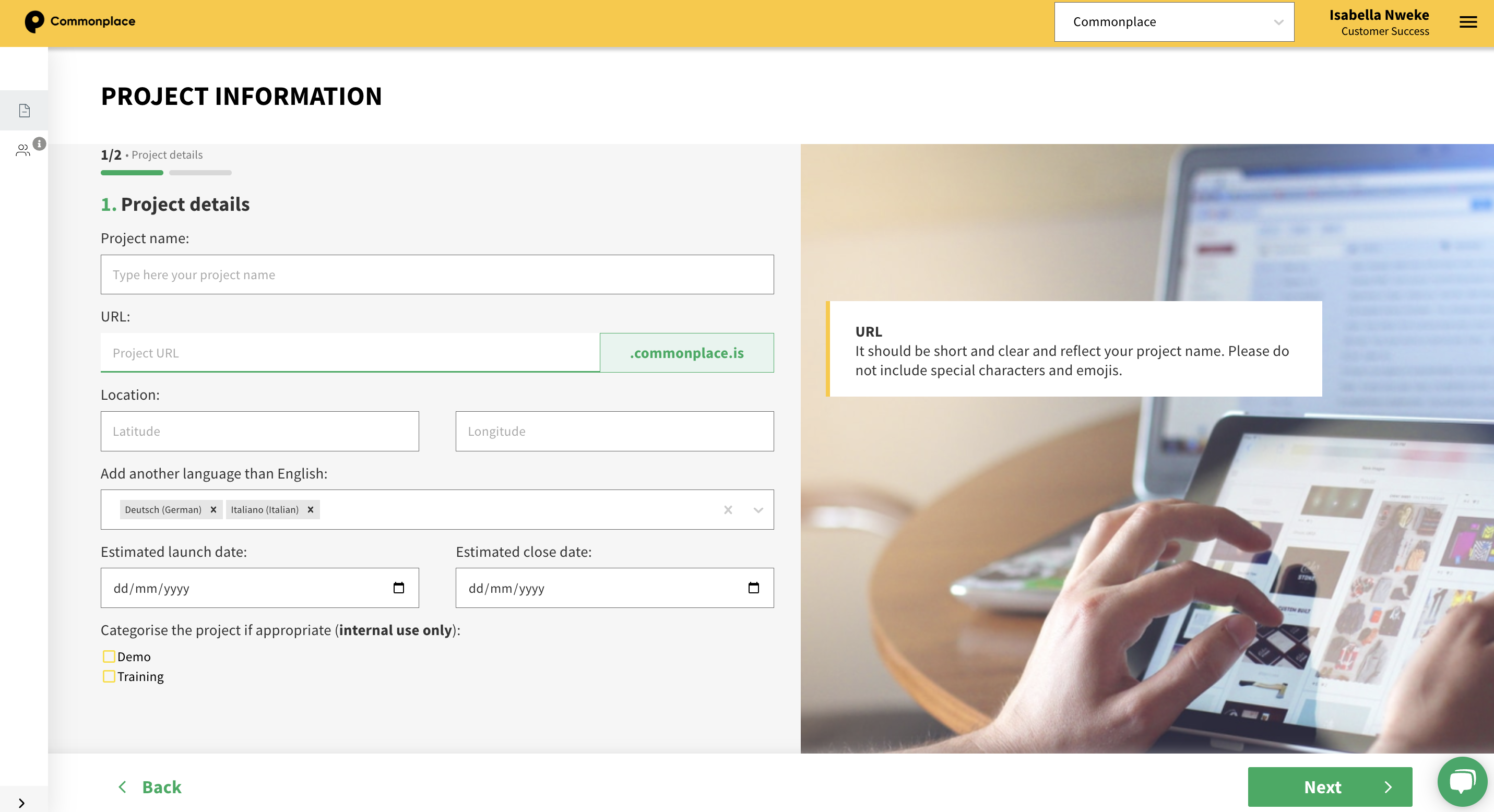
If you prefer to start from scratch, selecting “Create custom” will generate a default project, looking like this one after you have entered the project information in the project creation page as shown in the image below.
This page allows you to fill in the minimum required information to create a project.
Recommendations for each of the fields appear on the right, to guide you through the process.
Once this step is completed, a loading screen will appear and the project will be created within a minute or two (it takes a few minutes to spin everything up for your chosen subdomain).
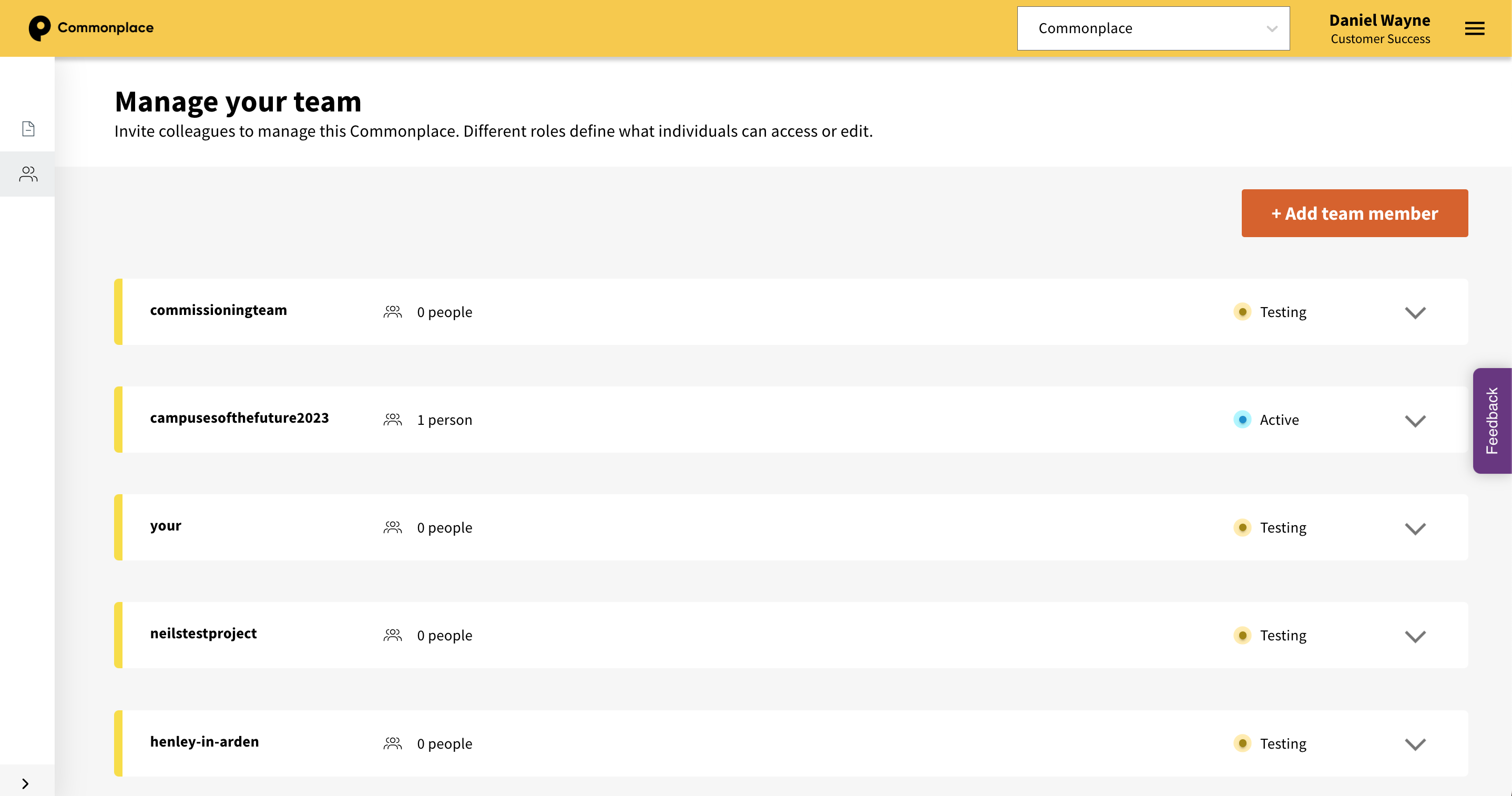
Manage users across all of the projects in your portfolio. You can easily add/revoke access and change your team members' roles.
See this article for full details about managing your team in Project Centre.
How to create a project website
Still unsure about anything? There's lots more information here on the Commonplace Help Centre - alternatively, contact the support team and we'll be happy to help 
