A group is a collection of respondents that you can use to contact a specific subset of your audience. You can create as many groups as you like, and add as many respondents to each group as you want.
Respondents can be added to groups based on their answers to specific questions from either a survey or the demographics page. For example, you may want to contact all respondents who said that they regularly travel by bike to invite them to a cycling workshop - or you may want to contact all respondents who said they feel negative about your proposals to engage with them further about their concerns.
Respondents can also be added to groups manually.

Tip: building group-specific reports is an efficient way to track the evolution of a subset of your visitors.
Learn more about custom reports here.
On the Respondents or Contributions section of a project, check one or more checkboxes on the left of the table.
On the bottom action bar, select group and “Create group from selection”.
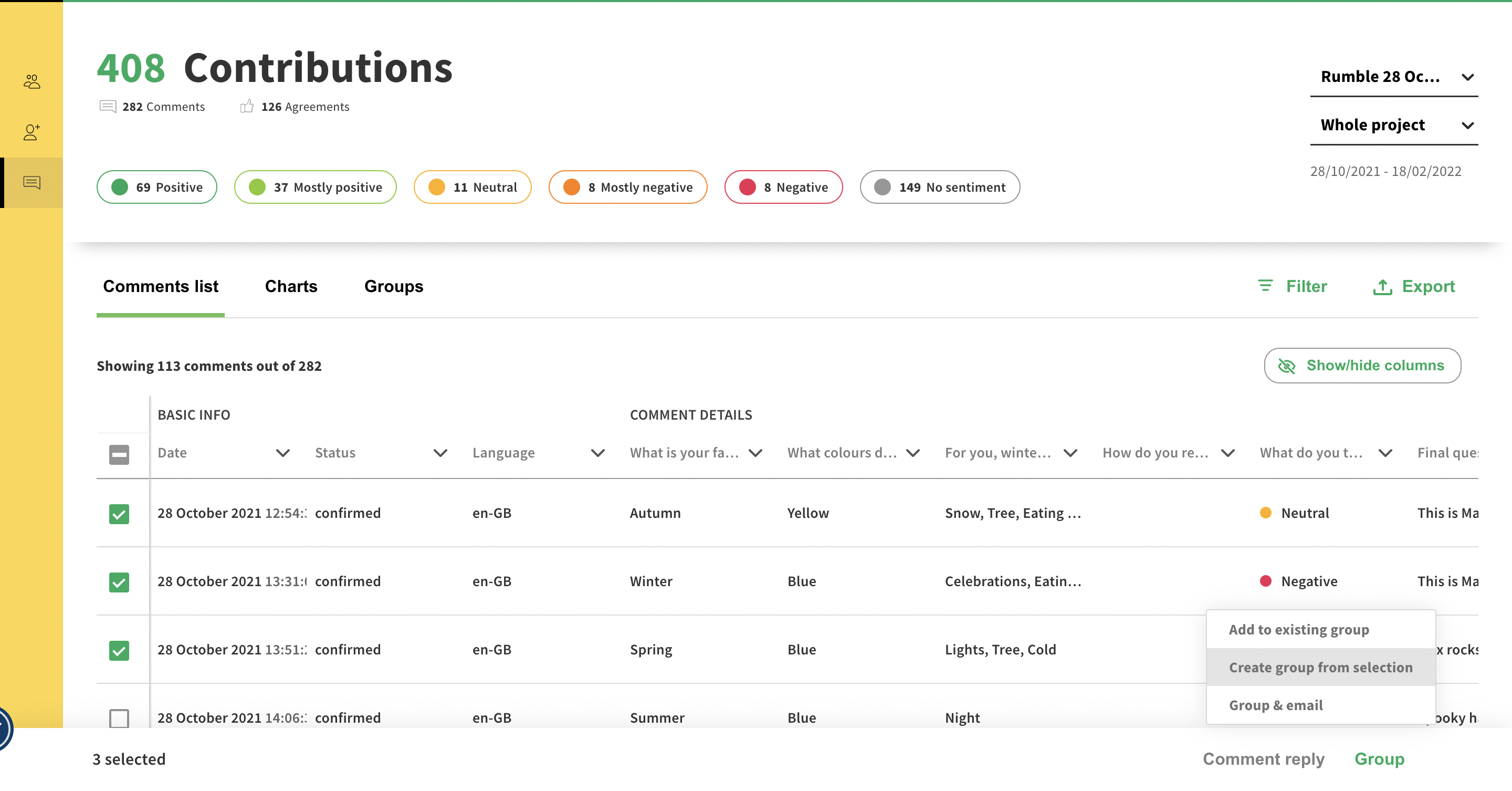
After giving the group a name, you’ll be offered 2 choices:
Static group: a static group is a fixed list of respondents. You can manually add or remove people from this group.
Dynamic group: a dynamic group is an opened list of respondents. It will increase through time if more people that fit within the filters you have selected comment on your project. You can’t add people manually to a group.
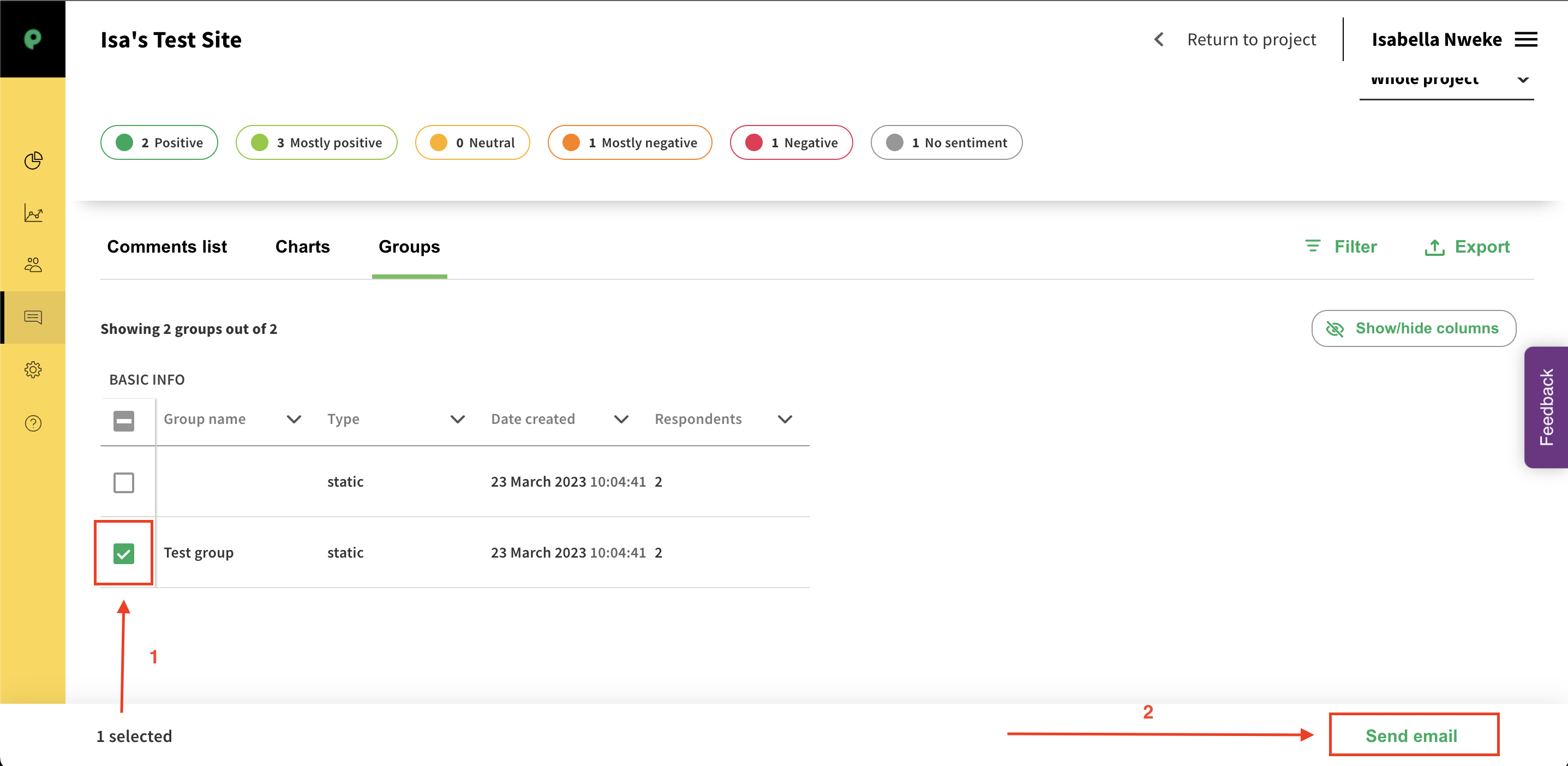
4. You will find specific data about your groups by going to the Groups tab. In that section, you can then compose and send out emails to your respondents by clicking on "Send email".
Still unsure about anything? There's lots more information here on the Commonplace Help Centre - alternatively, contact the support team and we'll be happy to help 
