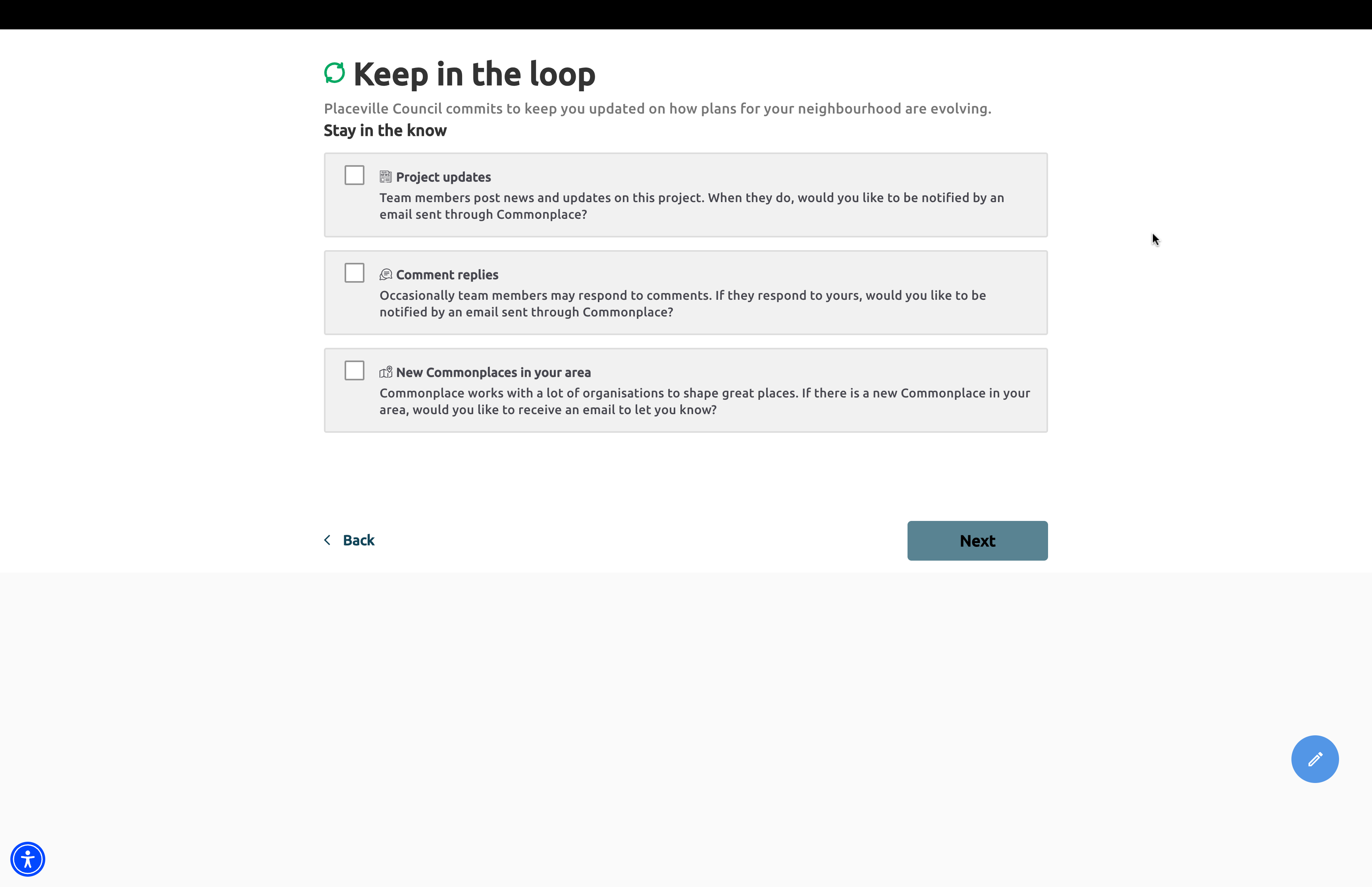
Above: An example of the preferences page
The preferences page is a page that users are taken through when they first sign up on a project. On this page, they are offered a list of contact preferences (also known as 'consents'), which they can then opt in to by clicking on them.
There are three default contact preferences, which cannot be removed. They are as follows:
Project updates
If respondents check this box, they will receive an email notification each time a member of your project team posts a news update (as long as they select the 'Publish and send email' option)
Comment replies
If respondents check this box, they will receive an email notification if a member of the project team responds to their comment
New Commonplaces in your area
If respondents check this box, they will receive an email notification when a new Commonplace in their local area launches
It is also possible to add custom consent options to this page - an example of this might be a prize draw to incentivise your visitors to comment.
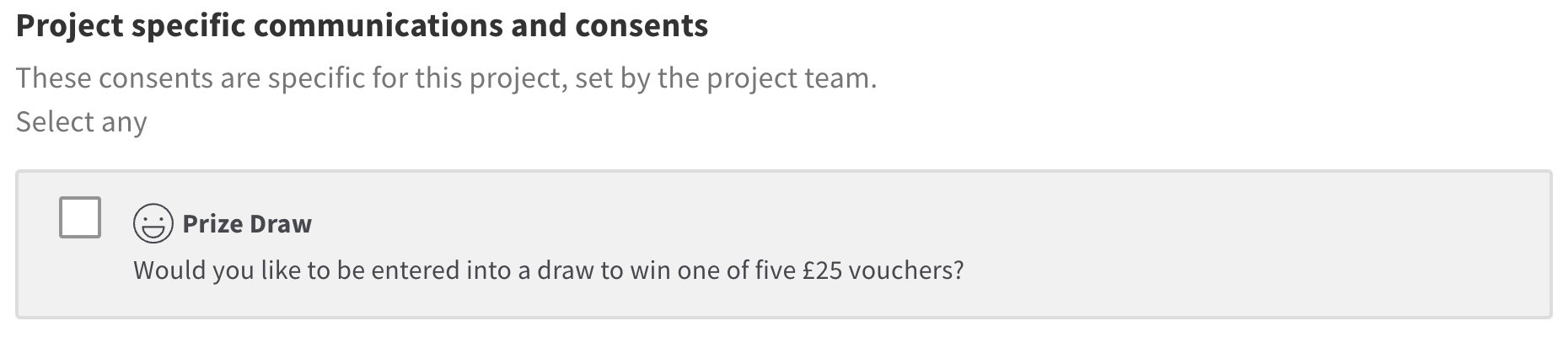
If a custom consent is used in your project, the Commonplace team will provide you a list of email addresses of those users who checked the box for that consent. If you have any questions about the specific wording to use for your consent, please contact you Customer Success Manager.
If you are unfamiliar with edit mode, it may be useful to read the 'introduction to edit mode' article first.
Enter edit mode by clicking the blue 'edit page' icon
Select 'preferences' from the 'page' dropdown menu
Switch the left hand panel to the '+ add' tab
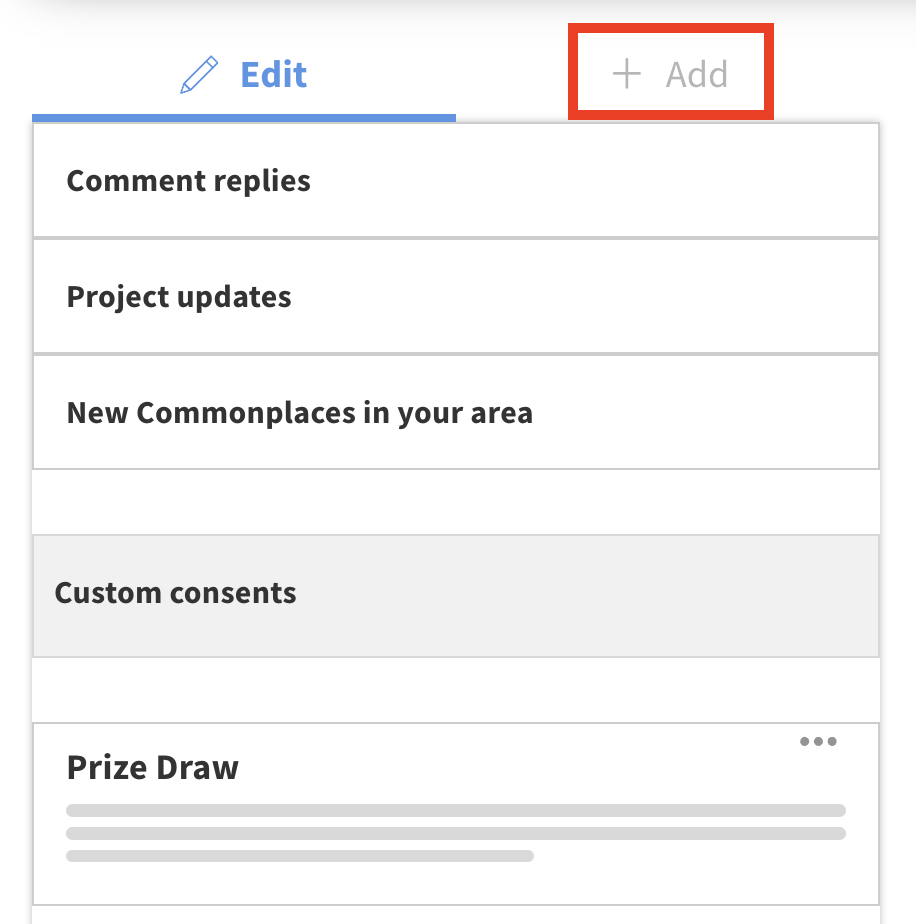
Open the 'content' folder and drag a 'consent' into the page preview
Click the consent you just added to edit its properties. You can edit the name, description and icon. Ensure that the text makes it clear exactly what your users are opting into
Once you've finished editing, remember to save your changes by clicking the blue 'save' button.
To preview the Preferences page, type '/preferences' after your project URL - e.g. https://democontent.commonplace.is/preferences.
Still unsure about anything? There's lots more information here on the Commonplace Help Centre - alternatively, contact the support team and we'll be happy to help 👋
